
How to Add a Countdown Timer to Your Website (2026 Guide) – New from Countdown Builder
How to Add a Countdown Timer to Your Website (2026 Guide) – New from Countdown Builder
We're thrilled to announce: Website countdown timers are now live on Countdown Builder! After powering thousands of email campaigns with dynamic timers, we've extended the same powerful technology to websites. You can now create stunning, fully customizable countdown clocks and embed them on any site in seconds — no coding required.
Whether you're running a flash sale, product launch, webinar registration, or limited-time offer, a live countdown builds instant FOMO (fear of missing out) and drives more clicks and conversions.
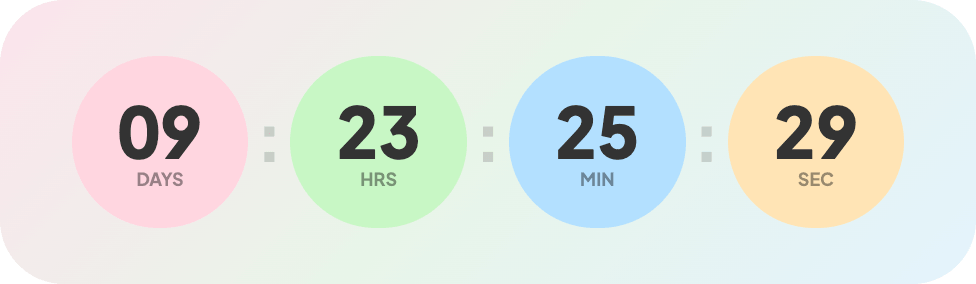 Example of a rectangular website countdown timer embedded on a homepage.
Why Every Website Needs a Countdown Timer in 2026
Adding a countdown timer to your website is one of the simplest ways to:
- Create urgency for limited offers and sales
- Announce upcoming launches or events
- Recover abandoned carts with time-sensitive incentives
- Boost engagement on landing pages and product pages
- Increase conversion rates by up to 30% (industry average)
And now with Countdown Builder’s new website feature, it’s easier than ever.
Introducing Our Brand-New Website Countdown Timers
Here’s what makes our website timers stand out:
1. Two Powerful Types
- Standard Countdown — Fixed end date & time with full timezone support (perfect for global launches).
- Evergreen Countdown — Dynamically resets for every visitor — ideal for evergreen offers and personalized urgency.
2. Flexible Appearance
- Light, Dark, or Auto mode that adapts to your visitor’s system preference.
3. Pixel-Perfect Customization
Our builder gives you complete control:
- Container style (padding, background, border radius, custom images)
- Timer font, size, weight, color, and animation
- Individual segments (day, hour, minute, second) with custom backgrounds
- Separators (enable/disable, pulsing animation, custom character)
- Labels in any language with a custom text case and styling
All changes update live in the preview — no guesswork.
4. Built for Performance
- Real-time updates
- professional premade templates
- Lightning-fast single-line embed code
- Works on WordPress, Webflow, Wix, HTML sites, Shopify pages, and more
Step-by-Step: How to Add a Countdown Timer to Your Website
- Go to the Dashboard
Visit app.countdownbuilder.com and create a free account (no credit card needed). - Create Your Timer
- Click Website Countdown → Create.
- Give your timer a name.
- Choose a template.
- And hit the Create button.
- Configure the Basics
- Choose Standard or Evergreen
- Set end date/time & timezone
- Customize Every Detail
Use our visual builder to tweak colors, fonts, labels, backgrounds, separators, and expiry messages. Preview instantly.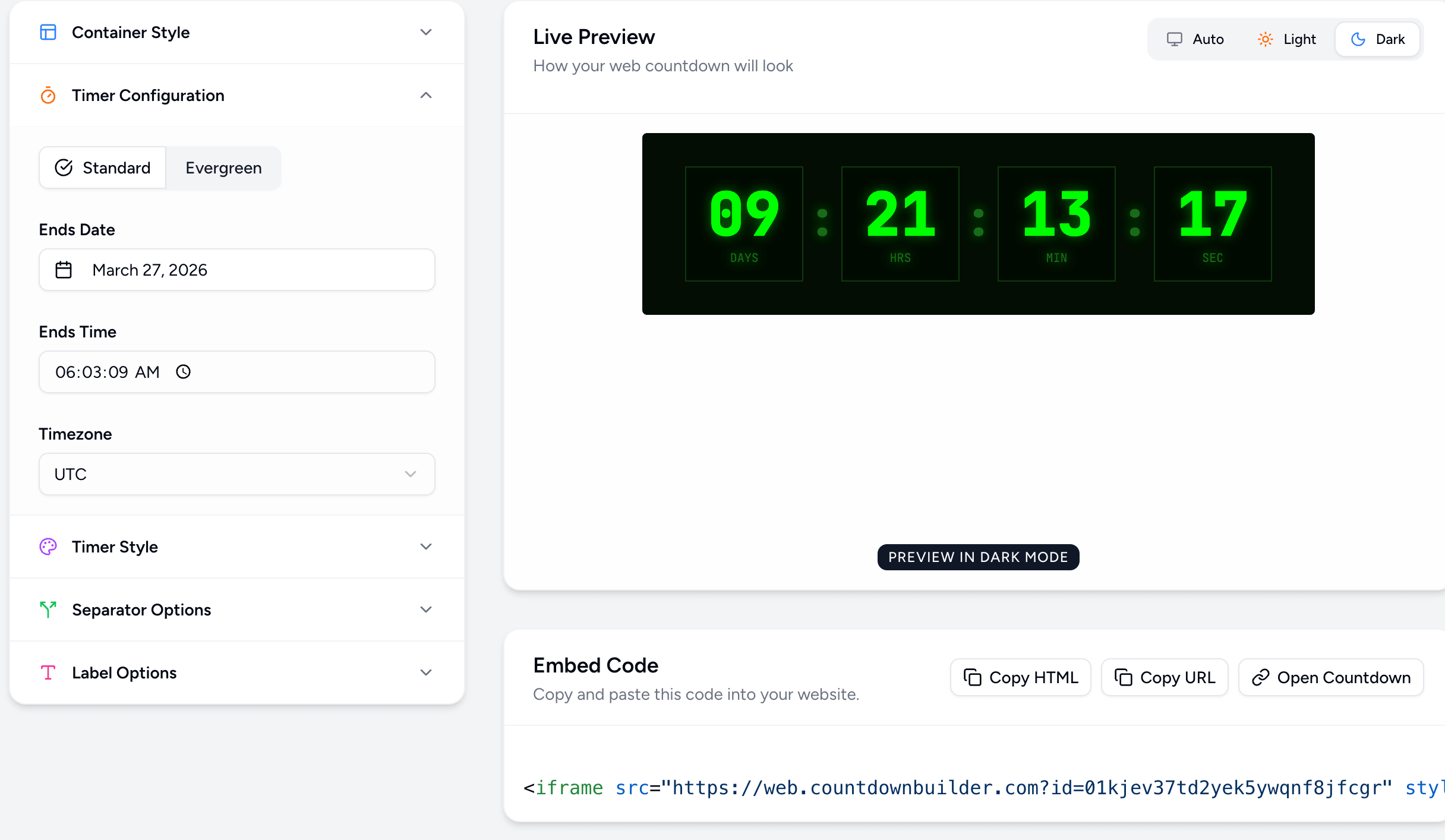
- Copy the Embed Code
One single line of code is generated automatically. - Paste It on Your Website
Add the code anywhere in your HTML (header, body, or specific section). That’s it — your countdown goes live instantly!
Real-World Use Cases for Website Countdown Timers
- Ecommerce stores: Flash sale banners on homepage
- SaaS landing pages: “Beta access ends in…” counters
- Event websites: Countdown to conference start
- Agency portfolios: Project deadline teasers
- Blogs & newsletters: “Limited spots left” for webinars
Get Started Free Today
Ready to add urgency to your website?
Create Your First Website Countdown Timer →
Free plan available with watermark-free timers and unlimited views on paid plans. View full pricing here.
Frequently Asked Questions
Is the website countdown timer free?
Yes — start for free with our generous plan. Upgrade only when you need more advanced features.
Does it work with my website platform?
Absolutely. Any site that accepts HTML (WordPress, Shopify, Webflow, custom code, etc.).
Can I use different countdowns on different pages?
Yes — create as many timers as you want and embed them anywhere.
Will it slow down my site?
No. The timer loads asynchronously and is optimized for speed.
Launch your first website countdown today and watch your conversions grow.
Questions? Reach out to contact — we’re here to help.
Happy counting! ⏳