
Style Your Countdown Timer Labels
Control how your labels look — font, color, and size from 8 to 100px. Position them below or inside the numbers so your email countdown timer reads beautifully and matches your brand.
What Is Label Styling?
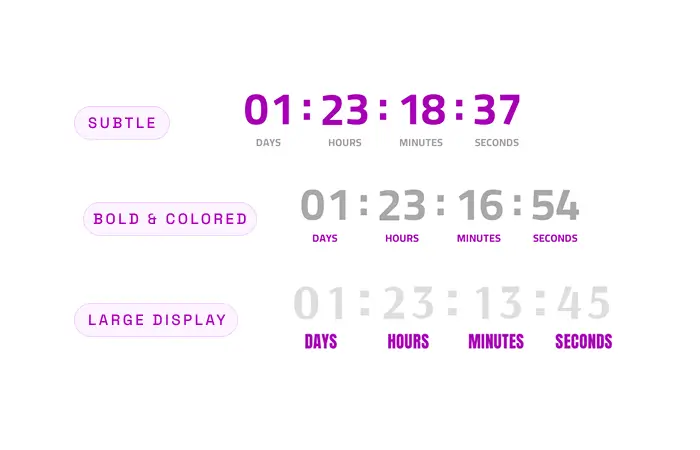
Label styling controls the appearance of the text beneath each time unit — its font, color, size, and position. While custom labels change what the text says, styling changes how it looks.
Well-styled labels improve readability and tie the countdown to your brand: soft gray labels recede so digits lead, bold colored labels add energy, large display labels feel premium.
- Any font. Match your brand or inherit the timer font automatically.
- Independent color. Set label color separately from the digits.
- 8–100px. Size labels for perfect legibility at any scale.
Styling works in every language — so localized labels look just as polished as your default ones.
Polish That Reads
Any Font
Match the label font to your timer and your brand — from clean sans-serifs to elegant display faces.
Custom Color
Set label color independently of the digits, so labels recede or pop exactly as you want.
Pixel-Perfect Size
Dial in label size from 8px up to 100px — readable on every screen, from mobile to desktop.
Below or Inside
Position labels beneath each unit for a classic look, or inside for a compact, modern tile.
Perfect For
Premium launches
Large, elegant labels in a display font make the countdown feel considered and high-end.
Compact promos
Small, subtle labels inside the digits keep the focus on the deal, not the chrome.
Mobile readability
Tune size and color so labels stay legible on the smallest screens.
Brand consistency
Match label color and font to your email design for a seamless look.
How It Works
Font first
Choose a font that matches your brand, or let labels inherit the timer font.
Color control
Give labels their own color — soft gray to recede, bold to emphasize.
Size it right
Anything from 8 to 100px, so labels read perfectly at any scale.
Place and space
Position below or inside the numbers and fine-tune the spacing to taste.
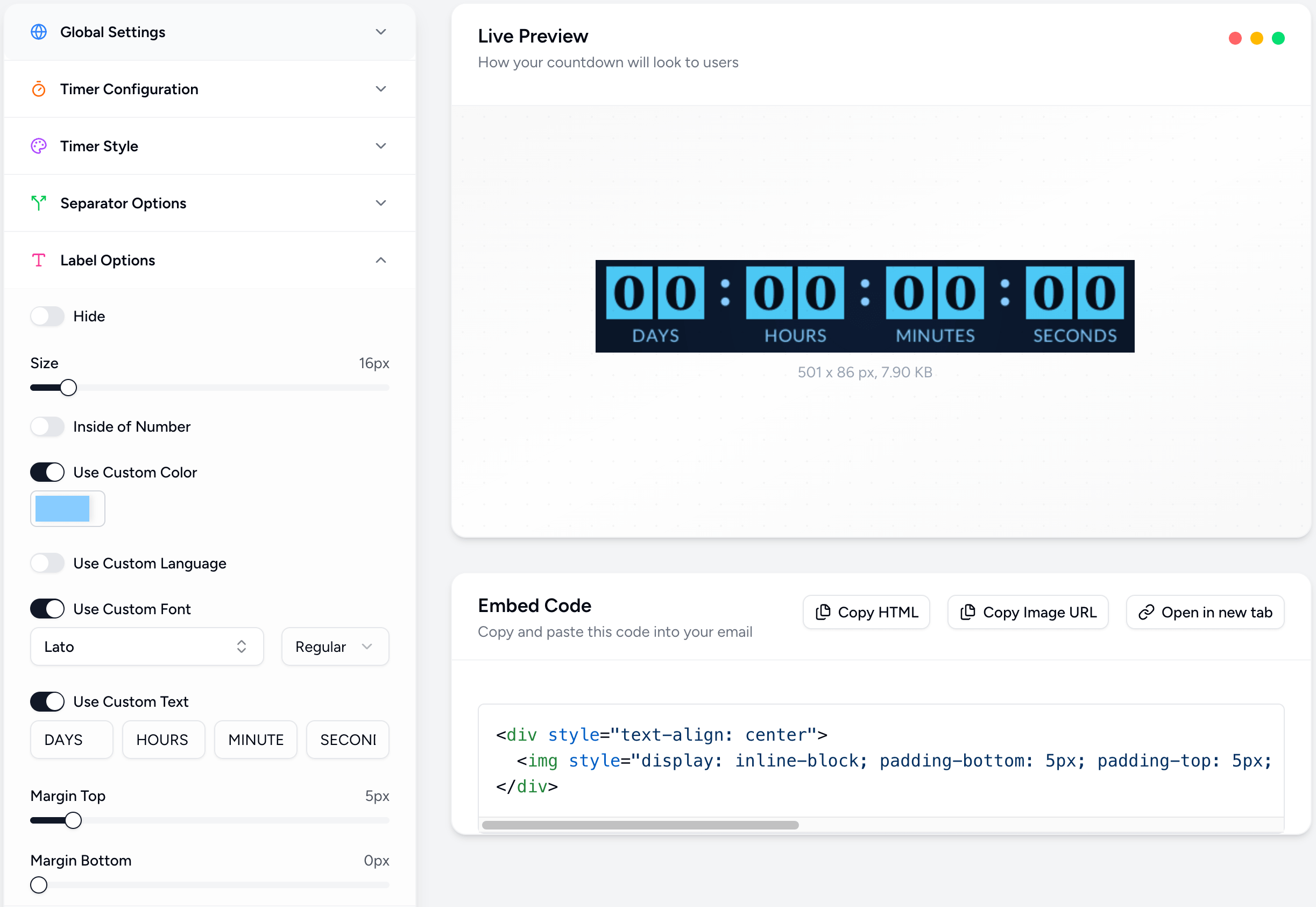
Powerful, Fully Customizable
Simple 3-Step Setup
Open label settings
In the editor, open the Labels panel to reach the styling controls.
Set font, color & size
Pick a font, choose a color, and dial in a size from 8 to 100px.
Position & send
Place labels below or inside the numbers, then copy the embed.
Style Every Label to Perfection
Font, color, size — total control over how your labels look. Join thousands of marketers using Countdown Builder.
Build Your Countdown Timer