
Timer Format: Count Down in Days or Weeks
Choose the largest unit your email countdown timer shows. “6 weeks to go” lands better than “42 days” — and the weeks format automatically falls back to days under a week, so no one ever sees an awkward “0 weeks.”

What Is Timer Format?
The format picker lets you choose the largest unit your countdown shows: days or weeks. Instead of cramming a six-week campaign into 42 days, you can show it the way people actually think — 6 weeks.
It’s a simple toggle. The auto-fallback is the secret sauce: switch to weeks and the timer shows weeks when 7+ days remain, then seamlessly switches to days once you’re under a week. Your end date and time stays exactly as you set it — the format only changes how the remaining time reads.
- Auto-switching. Weeks when 7+ days remain, days under a week — no manual work.
- No “0 weeks.” The format always shows the most intuitive unit at every stage.
- Custom week label. Rename it “Weeks”, “Wks”, or “7 Days” to fit your brand.
People think in weeks for anything over 7 days. A 30-day sale reads better as “4 weeks and 2 days” than “30 days : 0 hours : 0 minutes : 0 seconds.”
The Unit That Makes Sense
Days or Weeks
Show the classic DD:HH:MM:SS, or switch to WW/DD:HH:MM:SS so long countdowns read naturally.
Smart Auto-Fallback
In weeks mode, the timer switches back to days automatically once you’re under a week.
No “0 Weeks”
Your audience never sees a jarring “0 weeks” — the format always shows the most intuitive unit.
Editable Week Label
Rename the week label to anything — “Weeks”, “Wks”, “7-Day Blocks” — to match your voice.
When to Use Which
Product launch (3 weeks out)
“3 weeks until launch” feels more real than “21 days.”
Flash sale (2 days left)
“2 days” is more urgent than “0 weeks / 2 days” — stick with Days.
Webinar registration
“4 weeks to reserve your spot” feels substantial and worth acting on.
Long migrations
“6 weeks” is easier to grasp than “45 days” for multi-week projects.
How It Works
Two modes, one switch
Days for short, seconds-focused timers. Weeks for anything over a couple of weeks.
Auto-switching
Choose weeks and the timer shows weeks at 7+ days, then seamlessly falls back to days.
Never zero
No awkward “0 weeks” — the format adapts to show the unit that makes sense.
Paired label
Weeks mode adds a Week label you can rename to fit your brand tone.
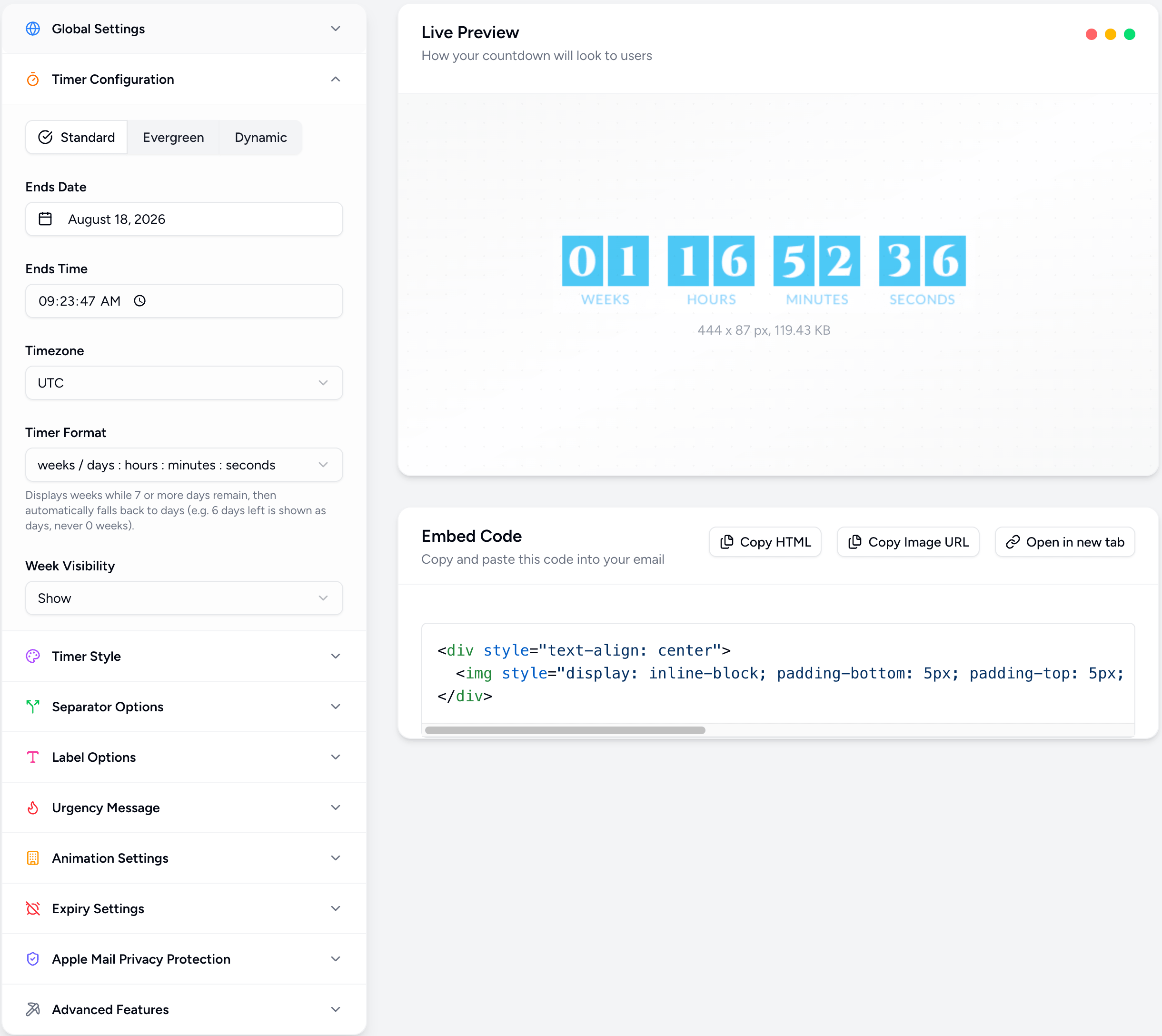
Powerful, Fully Customizable
Simple 3-Step Setup
Open the editor
Create or edit a countdown and find the Timer Format dropdown.
Choose Days or Weeks
Pick Days for short timers, or Weeks/Days for anything over a couple of weeks.
Send
Your countdown updates instantly — copy the embed and send.
Timer Format FAQs
Count Down the Way People Think
Days or weeks — let your countdown speak your audience’s language. Join thousands of marketers using Countdown Builder.
Build Your Countdown Timer