
Why Most SaaS Signups Never Become Customers (And How One Prompt Can Fix It)
 By Mehedi Hasan
TL;DR
- Most SaaS free trials fail quietly - the median B2B trial-to-paid conversion rate sits at just 18.5%, and up to 98% of freemium users never upgrade at all.
- The gap is almost never the product; it's the absence of a real onboarding and conversion sequence, because building one by hand takes days most teams don't have.
- EmailFunnelAI closes that gap with a single prompt: describe your audience, offer, and goal, and it generates the full sequence - emails, timing, branching logic, and a human review step - ready to launch from the web or Telegram, built on your own sending infrastructure with no markup.
The Signups Nobody Follows Up With
Every SaaS founder has stared at the same dashboard. Signups trickle in. A few people poke around the product for a day or two. Then, without a word, most of them disappear. No churn email, no exit survey, no explanation - they just stop opening the app.
The instinct is to blame the product. Maybe the onboarding is confusing. Maybe the price is wrong. Maybe the market just isn't there. But before any of that gets investigated, it's worth asking a more boring, more fixable question: did anyone actually follow up?
For a huge share of trial users, the honest answer is no. Nobody nudged them to connect their data. Nobody reminded them what the' lose when the trial ended. Nobody showed them the paid plan at the exact moment they were most likely to care. The trial simply expired, silently, the way most of them do.
This isn't a niche problem - it's the median outcome. A few numbers make that concrete:
- The median trial-to-paid conversion rate across B2B SaaS sits at 18.5%, according to a 2026 analysis of over 10,000 SaaS companies and 2.5 million trial users, while top-quartile companies convert at 35-45% and elite performers exceed 60% (1Capture, 2025).
- For freemium products specifically, the picture is starker: 95-98% of free users never convert to paying customers at all (Pathmonk).
- Time to value is the biggest lever nobody pulls fast enough - elite companies get users to their first "aha" moment in under 3 minutes, versus a 22-minute median, and every additional 10-minute delay costs roughly 8% in conversion (Flint, 2026).
- On the email side, automated sequences - the exact kind that would normally chase down a quiet trial user - generate as much as 16x more revenue per send than one-off scheduled campaigns, despite making up a tiny fraction of total email volume (Omnisend, 2026).
Put together, these numbers describe the same story from four different angles: the founders who are already following up systematically are converting two to three times better than the ones who aren't. And the ones who aren't, aren't failing because they lack a good product. They're failing because they never built the sequence.
Why the Sequence Never Gets Built
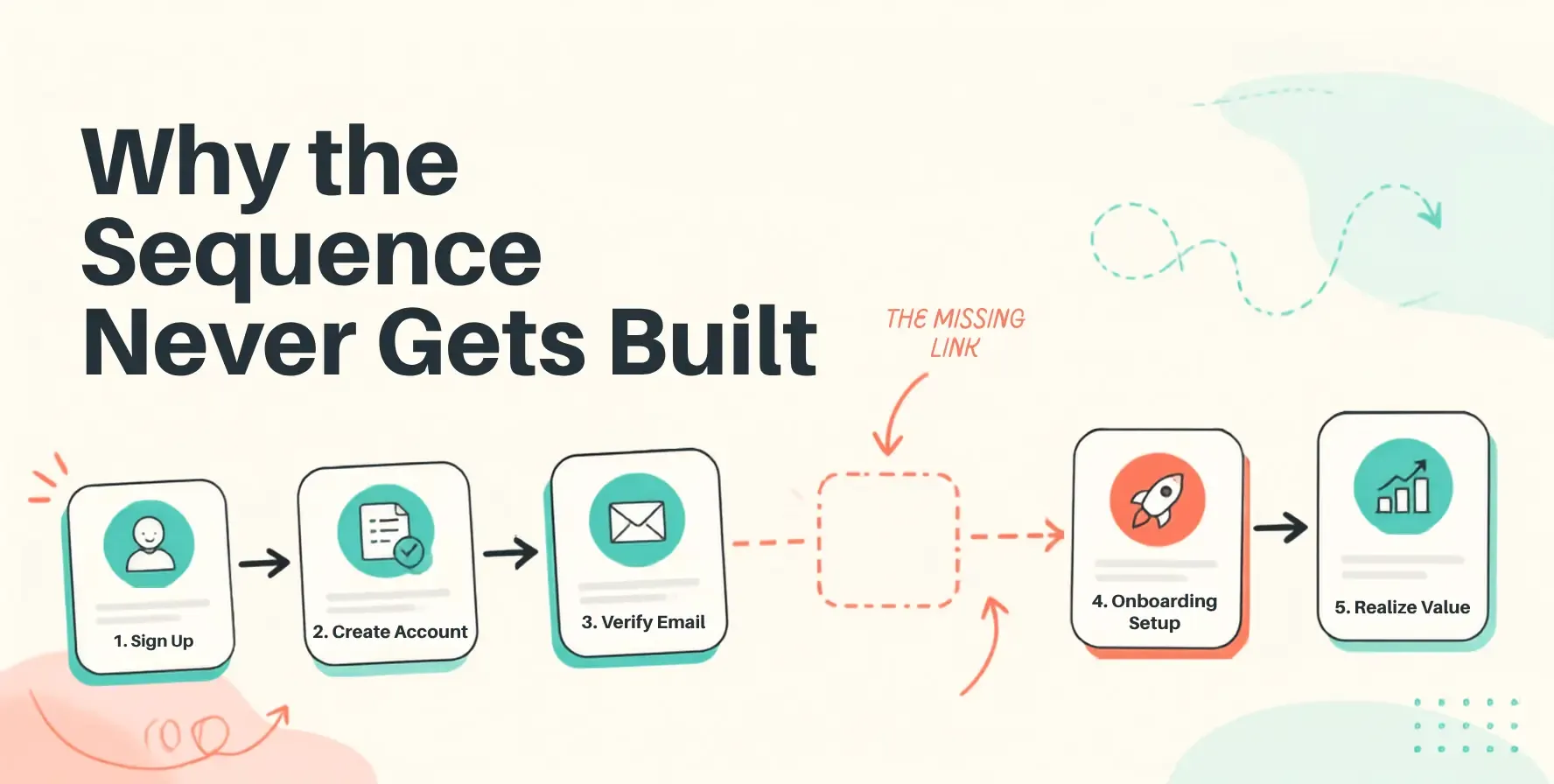
Here's the part that doesn't show up in the benchmark reports: almost every founder knows they need a trial-conversion sequence. It's usually sitting somewhere on a roadmap, three or four items down from "fix that bug in the billing page." The reason it stays there isn't a lack of conviction. It's that building a real sequence is a genuinely multi-step project.
First there's the planning stage, which is really its own project before any writing happens. How many emails does this sequence need - three, five, seven? What is each individual email supposed to accomplish? Should the third email fire on day two or day four? What happens if the user already finished setup before that email would have gone out - does it still send, or does it skip ahead?
Then there's the writing stage, where generic AI tools turn out to be less useful than they look. A tool that can draft "an email" isn't the same as a tool that understands a welcome email needs to do something completely different from a win-back email sent to someone who ghosted on day nine. Funnel logic is not the same skill as writing one good paragraph.
Then there's the automation stage, which historically has needed an engineer. Behavior-based flows - send this if they click, branch that way if they don't, stop everything the moment someone converts - are the kind of logic that usually lives in a developer's backlog, not a marketer's task list.
And even after all of that, there's a trust problem. Letting AI draft emails and letting AI send emails unsupervised are two very different levels of risk. Most teams, understandably, aren't comfortable with the second one.
Stack all four of those stages up, and it's obvious why the sequence stays a roadmap item instead of a shipped feature. It isn't one task. It's four hard tasks in a row, and most teams only have bandwidth for the fixes that are screaming at them right now.
What Changes With One Prompt
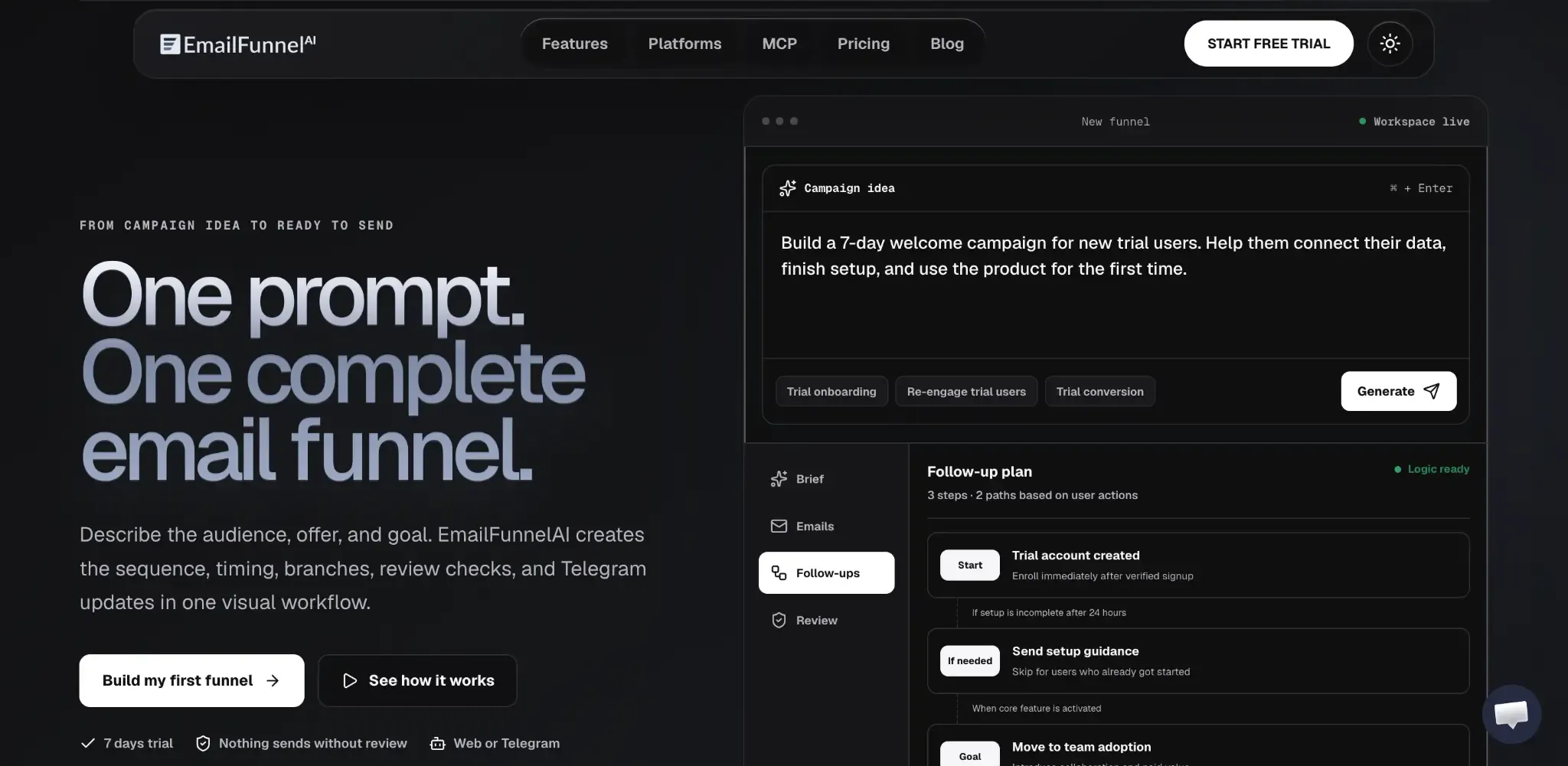
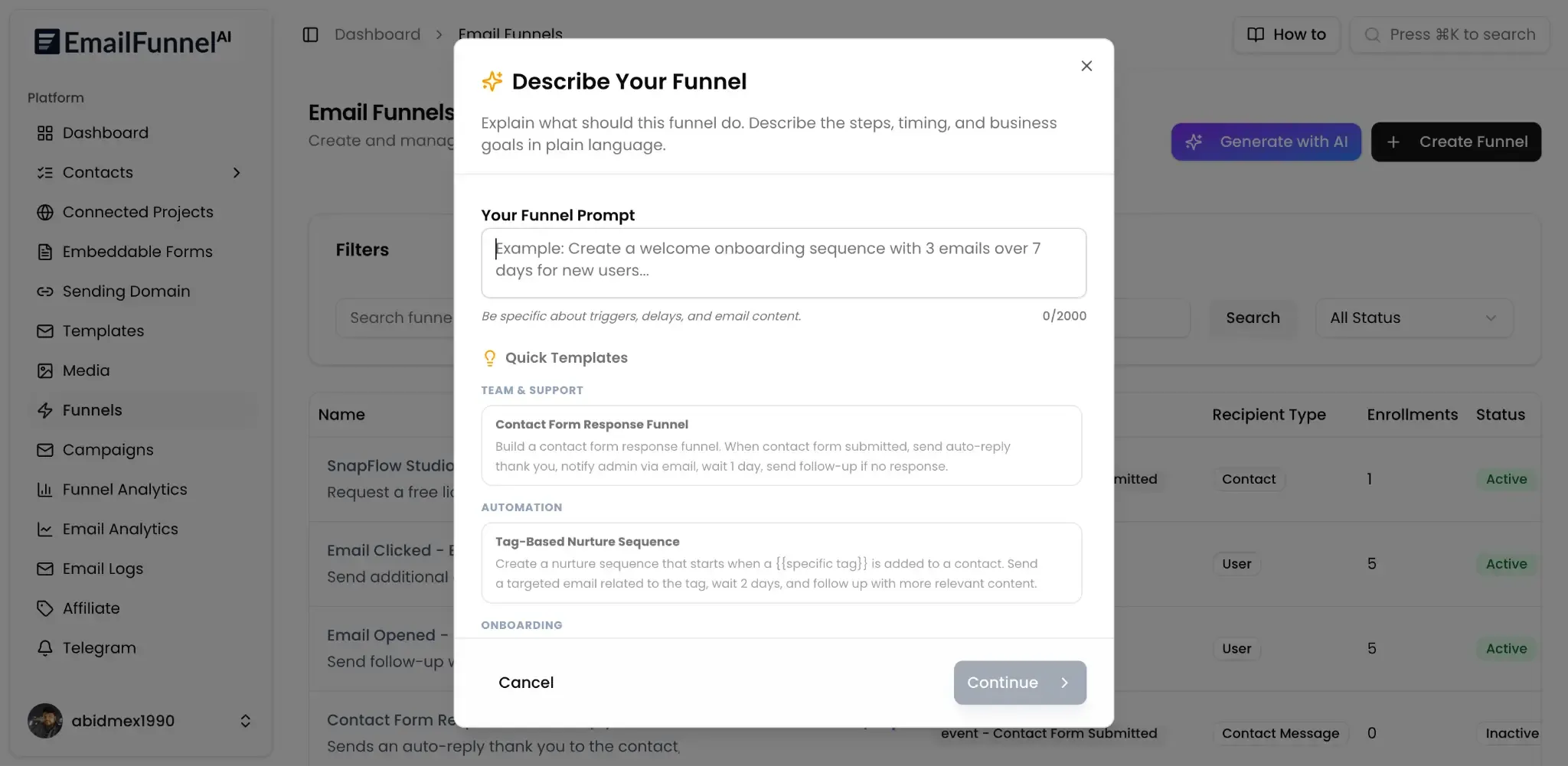
This is the exact chain EmailFunnelAI was built to shorten. It's an AI-driven, single-prompt email funnel builder - describe your audience, your offer, and your goal in plain language, and it generates the sequence, the send timing, the branching logic, and a review checkpoint, all in one pass. Its prompt-to-funnel builder and campaign brief parser are built specifically to pull offer details, audience pain points, and conversion goals out of a plain-language brief and turn them into a structured, multi-step funnel - not a single piece of copy.
Picture the founder from earlier, the one whose sequence never made it off the roadmap. If she described her problem to EmailFunnelAI instead - a seven-day welcome sequence for new trial users that helps them connect their data, finish setup, and use the product for the first time - she'd get back a five-email sequence the same afternoon: welcome and first action, complete setup, show paid value, address the drop-off objection, and a final nudge. Every email would already have wait times attached, branching logic (skip a step if the user already finished it), and a review checkpoint before any of it goes out.
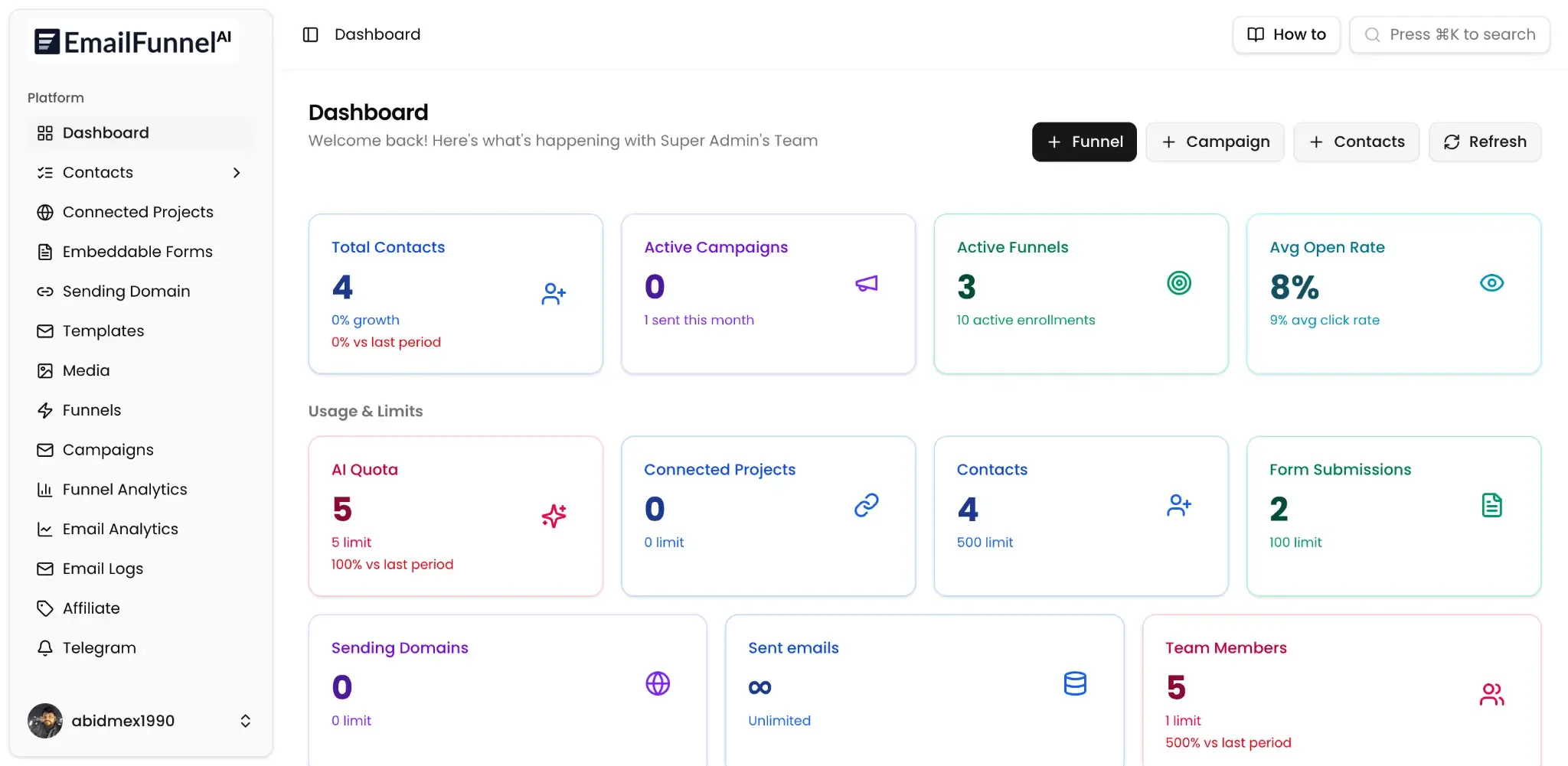
The automation layer is where the "needs an engineer" problem gets solved. Behavior triggers can start or redirect a flow based on opens, clicks, purchases, replies, tags, or inactivity. Conditional branches send different follow-ups to engaged leads, cold subscribers, buyers, and trial users. Delay controls handle wait times by hours, days, timezone, or business-day windows. Goal exits mean promotional messages stop automatically the moment someone converts, and suppression handling keeps unsubscribed or bounced contacts out of future sends entirely. None of it requires custom code - it's visible and adjustable as a visual funnel map, from brief to emails to follow-ups to review, in that order.
And on the trust question: nothing generated by the AI goes out unsupervised. Every sequence sits behind a draft-approval flow, and a Telegram notification lands the moment something is ready for a human to look at. The system can even pause automation entirely if critical data is missing or a sending domain fails checks.
Built on Your Own Infrastructure
One detail matters more than it might first seem: EmailFunnelAI doesn't send email through its own infrastructure, and it doesn't charge a markup on top of your sending volume. It runs on a bring-your-own-sender model - connect an existing AWS SES, Postmark, SendGrid, Mailgun, Resend, EmailIt, or SMTP account, and the platform sends through that. You pay your provider directly for what you send; EmailFunnelAI isn't taking a cut of your email volume.
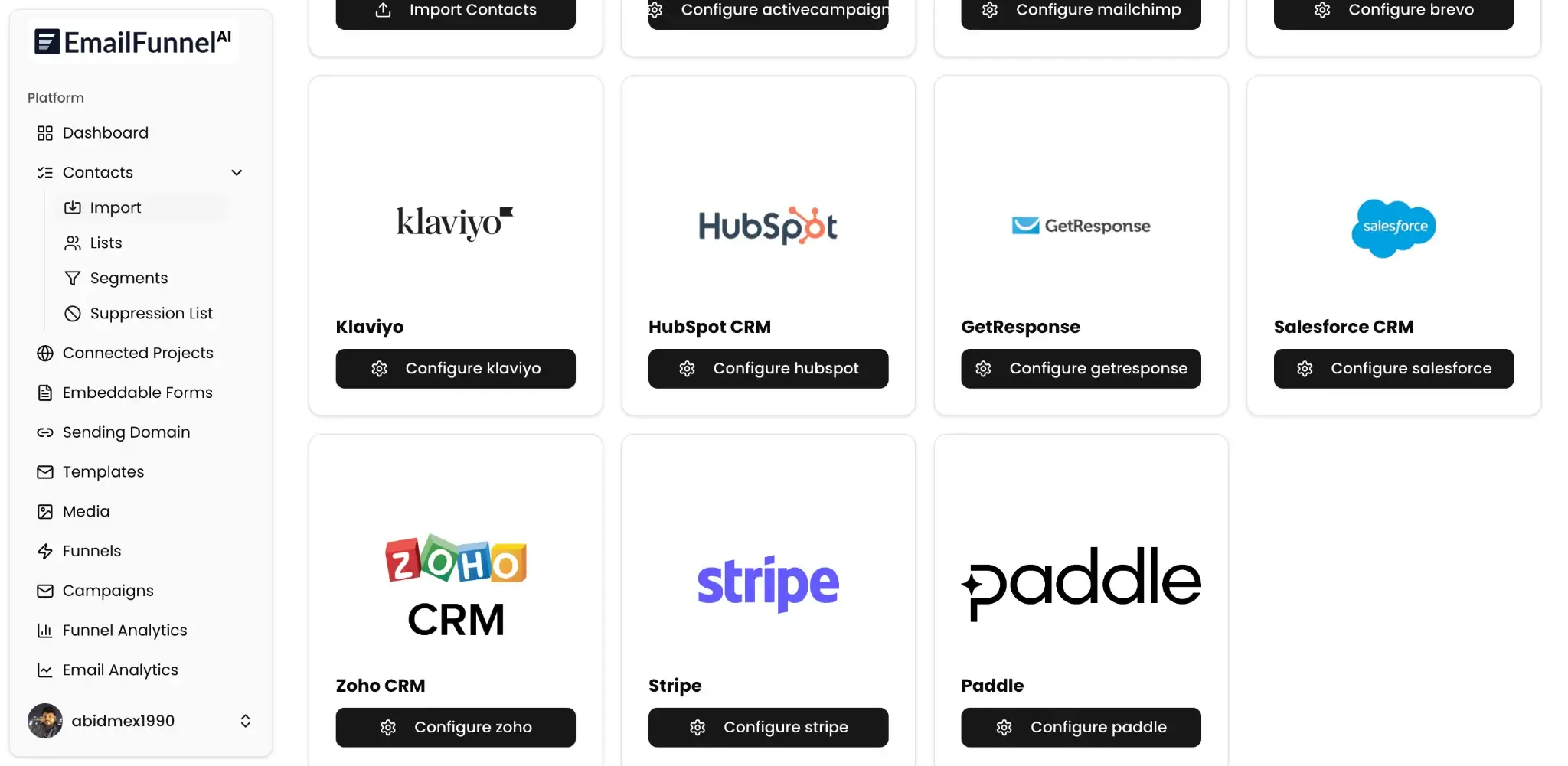
The same "connect what you already have" philosophy extends to contacts. Whether your leads live in HubSpot, Salesforce, ActiveCampaign, Mailchimp, Klaviyo, Zoho, or a storefront on Shopify, WooCommerce, BigCommerce, or WordPress, EmailFunnelAI connects to it rather than asking you to migrate your entire audience into a new silo.
For teams with a developer on hand, there's also an MCP server built specifically for coding assistants - Cursor, VS Code, or Claude Desktop - that can browse connected apps, create a new project (generating the API key and webhook signing secret in the process), fetch the exact webhook spec, verify the connection live, and find or embed a signup form with ready-to-paste code. It's read-only beyond project creation: it can't send emails, touch contacts, or access billing.
Knowing Whether It's Actually Working
A sequence that goes out and never gets measured is only half a fix. EmailFunnelAI's analytics layer tracks conversion rate, revenue impact, and step-by-step drop-off for every sequence, alongside standard email-level metrics like opens, clicks, click maps, replies, and bounce patterns. Variant comparison shows which angle, subject line, CTA, or send time actually won, so the next sequence starts from evidence instead of a guess. For teams, there's audit history and role-based permissions for governance, plus compliance helpers for unsubscribe handling, GDPR requests, and consent notes - the operational scaffolding that turns a one-off campaign into something repeatable.
On the audience side, contacts can be imported from CSVs, integrations, forms, or API events, and organized with smart segments and custom fields for whatever properties matter to the business - plan tier, role, company size, or anything else. Tag automation and engagement scoring keep that data current based on actual behavior rather than a static import, while suppression lists and duplicate detection keep the list itself clean. None of this replaces the core one-prompt workflow; it's what makes that workflow something a team can trust and repeat, campaign after campaign, instead of a one-time trick.
Who This Actually Helps
EmailFunnelAI is built primarily for SaaS lifecycle teams - the trial onboarding, activation, conversion, and win-back sequences that decide whether a free trial ever becomes a paying customer. But because it connects to e-commerce platforms like Shopify and WooCommerce alongside CRMs and ESPs, the same one-prompt workflow works just as well for lead magnet follow-ups, product launches, client campaigns, or recovery sequences for any business with a list to nurture.
Pricing
Plans start at $12/month for solo creators (50 AI generations, 2,500 contacts, one sending domain and connected project) and scale to $59/month for high-volume teams (1,000 AI generations, 50,000 contacts, unlimited domains and team members). MCP access and the Telegram bot are included on every tier, and a 7-day free trial is available with no credit card required.
The Real Gap
Most "AI email" tools on the market today help you finish a sentence faster. They don't help you plan a funnel - which is the actual hard problem. Deciding what each email in a sequence needs to do, when it should send, and what should happen differently for a user who's already taken action versus one who hasn't is a structural question, not a writing one. That's the real distance between typing "write me a welcome email" and typing "build a 7-day welcome campaign for new trial users that helps them connect their data, finish setup, and use the product for the first time" - one gets you a draft, the other gets you a complete, reviewable funnel.
If a lifecycle sequence has been sitting on your roadmap for months while your trial users quietly leave, that's the gap this tool was built to close in one prompt instead of one more sprint.
FAQ
Does EmailFunnelAI send my emails through its own servers?
No. It runs on a bring-your-own-sender model - you connect your own AWS SES, Postmark, SendGrid, Mailgun, Resend, EmailIt, or SMTP account, and send them through that provider. There's no markup on sending volume.
Will AI-written emails go out without anyone checking them?
No. Every AI-generated sequence sits behind a draft-approval flow, and you get a Telegram notification the moment something is ready to review. Nothing is sent until a person approves it.
Do I need a developer to set up the automation logic?
No. Behavior triggers, conditional branches, delay controls, and goal-based exits are all handled visually inside the funnel map. Developers who do want direct access can use the MCP server to connect a coding assistant like Cursor, VS Code, or Claude Desktop.
Can I use my existing CRM or store instead of switching platforms?
Yes. EmailFunnelAI connects to platforms like HubSpot, Salesforce, ActiveCampaign, Mailchimp, Klaviyo, Shopify, WooCommerce, BigCommerce, and WordPress rather than requiring you to migrate your audience.
Is this only for SaaS companies?
It's built primarily for SaaS trial and lifecycle sequences, but because it connects to e-commerce and CRM platforms too, it works equally well for lead magnet follow-ups, product launches, and recovery campaigns for any business with an audience list.
What does it cost to try?
Plans start at $12/month and scale to $59/month depending on generation volume, contacts, and team size. A 7-day free trial is available with no credit card required.
Written by Mehedi Hasan
Writer & Developer. He writes about email marketing, countdown timers, and campaign design.
Connect on LinkedIn