
How to Add a Countdown Timer in Drip Email Campaigns (2026 Guide)
 By Mehedi Hasan
Drip is built for ecommerce email workflows: flash sales, cart reminders, product launches, and offers. When one of those campaigns has a real deadline, a timer in a Drip email campaign can show subscribers how much time is left.
Drip doesn't have a built-in dynamic countdown timer, but you can add one using Countdown Builder's hosted GIF images. The timer is an image served by Countdown Builder and regenerated each time the email is opened, so the countdown reflects the time remaining at that moment. Drip's visual email builder accepts it like any other image.
When a Timer Fits a Drip Campaign
- Time-limited offers: flash sales, launch windows, and cart-reservation periods have an end time that the timer can display directly.
- Animation: Drip supports external GIF images, so hosted timers animate on desktop and mobile.
- Server-rendered countdowns: the timer image is generated when the recipient opens the email, so the time shown is current at that moment.
A timer only makes sense when the deadline is real. If the offer doesn't actually expire, leave the timer out.
Step-by-Step: How to Add a Timer in Drip Email Campaigns Using Countdown Builder
Countdown Builder provides 65+ templates, customization options, and evergreen timers, with no watermark on the free plan.
Drip inserts the timer as an image — the Visual Email Builder's image block is where it goes — so the flow uses the GIF URL:
flowchart LR
    A["Create the timer in Countdown Builder"] --> B["Copy the GIF image URL"]
    B --> C["Drag an Image element in Drip"]
    C --> D["Paste the URL into the Source field"]
    D --> E["Test and send"]
Step 1: Create Your Countdown Timer on Countdown Builder
- Visit Countdown Builder and sign up for a free account.
- Browse the 65+ template designs and click Create.
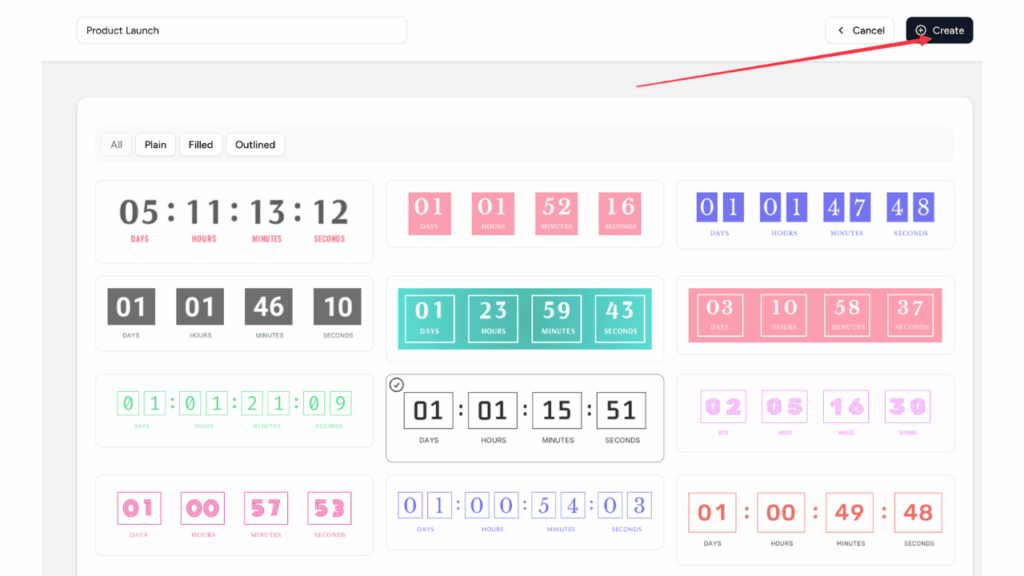
Customize to match your brand:
- Set the end date/time and time zone.
- Choose fixed-date or evergreen (a per-recipient deadline — useful in automated workflows).
- Adjust colors, fonts, labels (multilingual support), backgrounds, and animations.
- Add a post-expiration message or image.
Step 2: Copy the Image URL
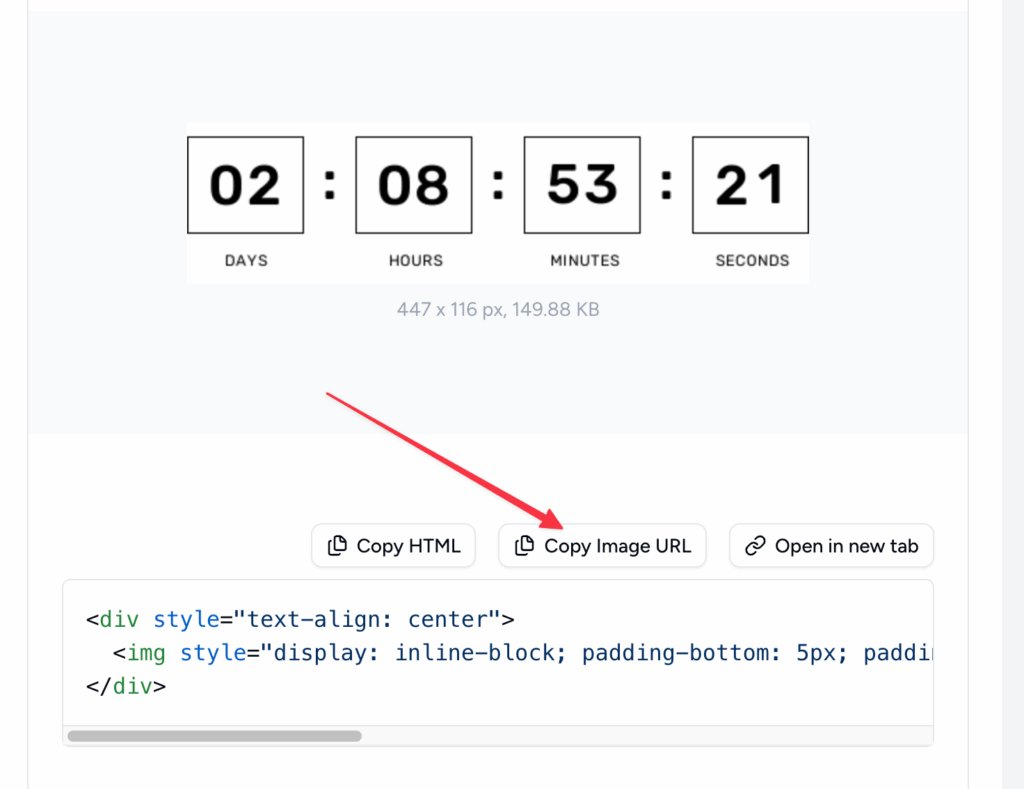
Once the design is ready, click Copy Image URL to copy the direct countdown image link.
Step 3: Insert the Timer in Drip
- Log into Drip and open your email campaign in the visual builder.
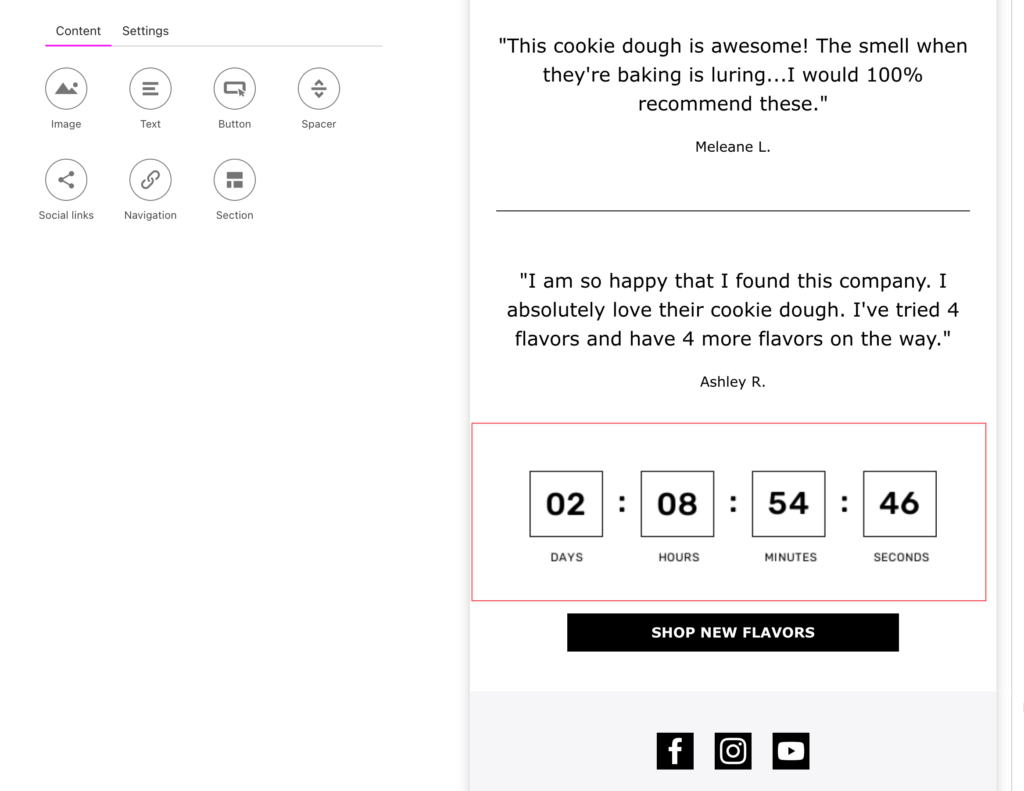
- Drag an Image element from the sidebar into your email layout.
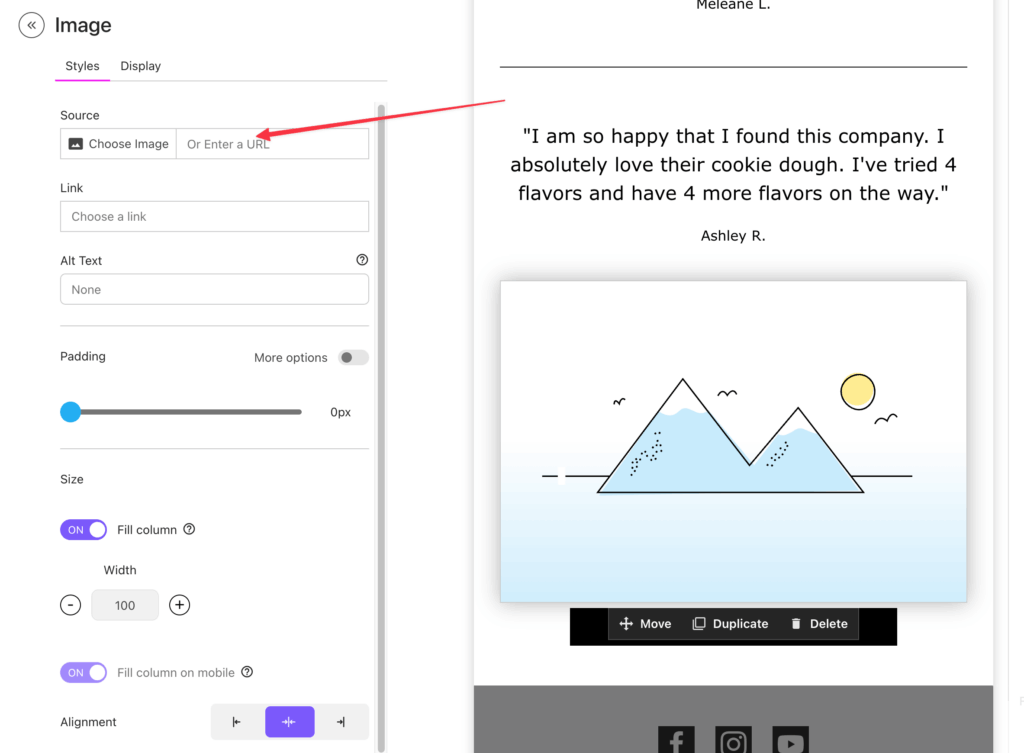
- Click the image block to edit.
- In the Source (or URL) field, paste the GIF URL you copied.
- Adjust size, alignment, or add a link to your offer.
- Save and preview.
Step 4: Test and Send
- Preview in Drip.
- Send tests to check animation across devices.
- Confirm images load properly.
Best Practices for Timers in Drip Email Campaigns
- Placement: near your CTA button.
- Design: matched to your brand and readable at mobile sizes.
- Copy: state the deadline in the email text as well, for readers with images blocked.
- Evergreen for workflows: suited to abandonment or nurture sequences where each recipient has their own window.
- Measurement: compare performance in Drip against similar emails sent without a timer.
Countdown Builder Features and Costs
- 65+ timer templates, with customization of colors, fonts, labels, and backgrounds
- Fixed-date, evergreen, and dynamic timer types
- No watermark on the free plan; unlimited timers and views on paid plans
For Drip's always-on ecommerce flows — cart, browse, win-back — pricing is flat per account rather than per message or per view, so a busy season of automated sends doesn't change the bill. The Business plan adds a custom domain for serving timer images from your own subdomain, with SSL; current plans are on the pricing page.
Related Guides
If you'd like to try it, you can create a free timer at Countdown Builder. The free plan doesn't require a credit card and doesn't add a watermark to the timer.
Last updated: September 2026. The steps above reflect Countdown Builder and the Drip email builder at the time of updating. Product features and pricing can change, so verify current details before purchasing.
Written by Mehedi Hasan
Writer & Developer. He writes about email marketing, countdown timers, and campaign design.
Connect on LinkedIn