
Countdown Timers for Agencies: Managing Multiple Client Brands
 By Mehedi Hasan
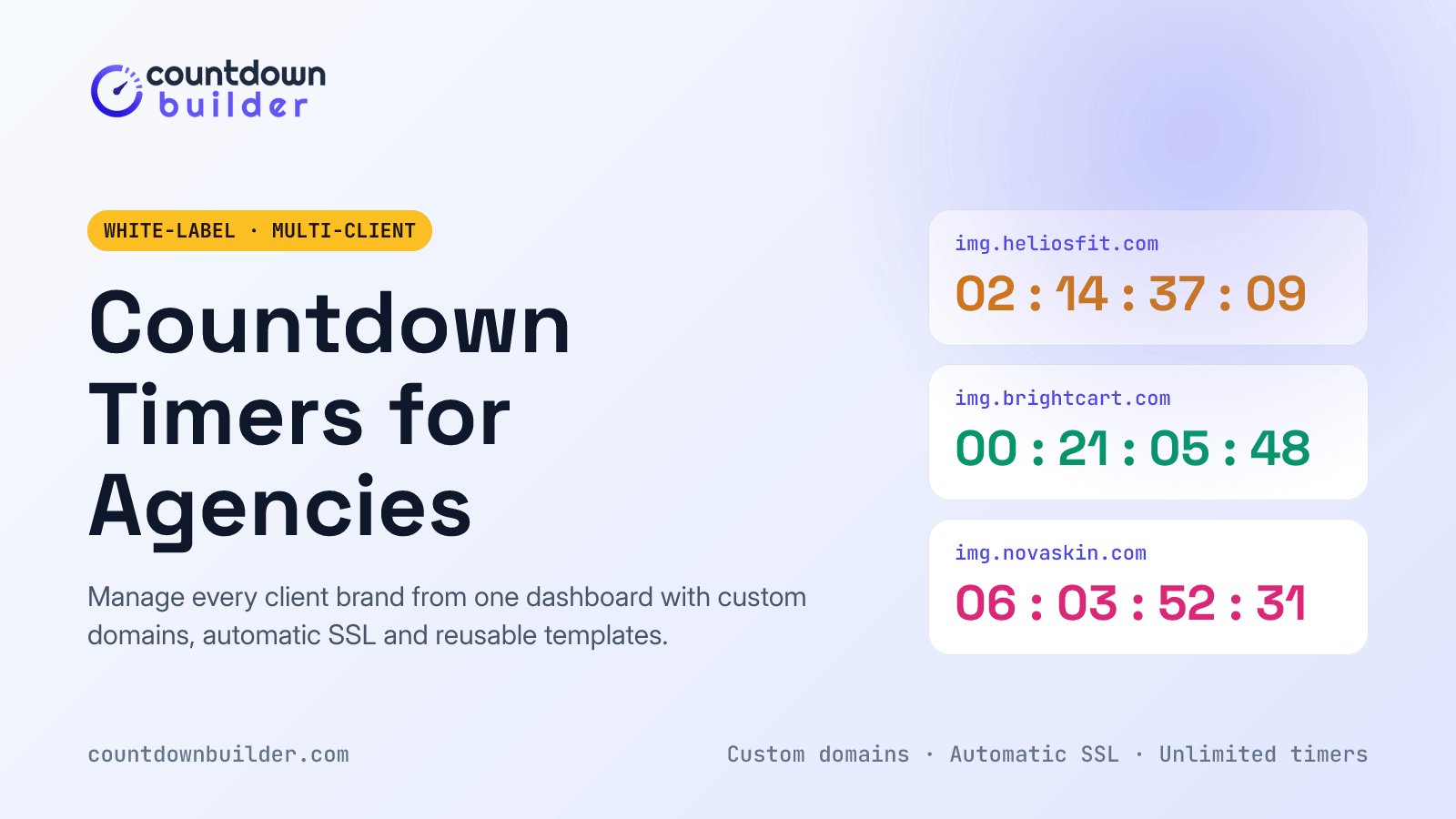
Short answer: run every client's timers from one agency account, connect a custom domain per client brand so the embed serves from img.clientname.com instead of a third-party URL, and reuse a template library across campaigns instead of rebuilding each timer from scratch. The client's brand shows up in every pixel and every URL the reader sees; the deadlines all live in one dashboard your team already manages.
An email countdown timer is a standard line item on retail and ecommerce campaigns, which means it is a standard line item on agency retainers. But the agency version of the work adds three problems a single-brand marketer never thinks about, and this guide covers each: the white-label expectation, the rebuild tax, and the sheer number of deadlines in flight at once.
Why Countdowns Are Harder at an Agency
- Every client has its own brand, and the timer is part of it. A default embed serves the timer image from the tool's domain — which means a BFCM email for one client carries a URL naming a company the client has never heard of. To a brand manager, that is a white-label deliverable shipped unfinished.
- Each client runs a different campaign calendar. One brand's flash sale ends Friday; another's pre-order window runs into January; a third has a webinar on Thursday. The agency isn't managing one deadline — it's managing twelve, each with its own timezone, its own copy, and its own expiry behavior.
- The rebuild tax is real. Without a deliberate structure, every new client campaign starts from a blank canvas: same setup steps, same expiry configuration, same timezone check — done again, billed again.
None of these are timer problems; they are workflow problems. The fix is three layers: one account, one branded domain per client, one reusable library.
The White-Label Layer: Custom Domains per Client
This is the layer clients actually notice, and on Countdown Builder it comes with the Business plan. Instead of serving timer images from a third-party domain, you connect a subdomain owned by the client — img.heliosfit.com — so every timer URL in every campaign reads as the client's own infrastructure:
- Add one CNAME record at the client's DNS provider, pointing their chosen subdomain (like
img) to the serving target. A CNAME record is just an alias — one line in their DNS panel, and their website, root domain, and email sending are untouched. - Verify the domain. Click Verify and the record is checked on the spot — most domains verify within minutes.
- Use the branded embed codes. Every timer's image and click URLs now serve from
img.clientname.com, with SSL certificates provisioned and renewed automatically for each connected domain.
Two things this buys the client beyond aesthetics. First, consistency: inbox providers evaluate the remote image URLs in a campaign, and a countdown loading from a domain unrelated to the sender domain reads like a third-party tracker — one more signal that can nudge mail toward the spam folder. A timer served from the client's own subdomain removes that mismatch. Second, audit-proof branding: when a client's legal or brand team reviews campaign assets, there is no unexplained third-party domain anywhere in the email.
Do this per client brand — one subdomain, one CNAME, one verification each. After the first one, the second client's setup is a ten-minute task you can do on a kickoff call.
Building the Library: Set Up Once, Reuse per Client
The second layer is internal: stop treating every timer as a one-off build.
- Start from templates. Countdown Builder ships 65+ email timer templates, and the fastest agency workflow is to designate one or two per client as the house style — approved colors, fonts, and label wording — and clone from those for every new campaign.
- Fix the label vocabulary once. A client that says "Offer ends" should never alternate with "Hurry, ends soon." Set the timer labels to the client's approved phrasing at the template level, and every clone inherits it. Multi-language label support is there for clients with non-English audiences.
- Standardize expiry behavior per client. Decide with the client what a spent timer should do — frozen zeros, a custom "Sale ended" frame, or an expiry URL routing to the next best page — and build it into the template. Then it's set before the campaign starts rather than improvised the night before launch. The options are covered in the expiry settings feature.
- Note the timezone with the campaign brief. The timer counts to the timezone configured with it, not each reader's local midnight — so a client's US East Coast sale should be built in ET, matching whatever their copy says. The localization settings cover the options. Collect this fact in the kickoff call and it never has to be guessed again.
You can create a countdown timer for each client from one account — the free plan has no watermark and no credit card, and paid plans add unlimited timers and views, which is what a multi-client calendar actually requires.
Handoff: Embedding in the Client's Stack
The timer embed is an image plus a snippet of HTML — no JavaScript — so it renders anywhere the client's platform accepts an image or HTML block, in any email client that loads images. That is what makes the agency handoff simple: you are not asking the client to adopt your tooling; you are delivering an asset their existing team pastes into the tooling they already run.
A few handoff details worth getting right:
- Deliver the snippet, not the account. The client's team copies the embed into their email platform of choice. Where images load, the timer counts live; where they don't, alt text and the deadline line in copy carry the message. Outlook's Windows desktop client shows a still frame of the timer rather than an animation — worth telling the client up front so nobody redoes work over a rendering quirk.
- Make the image clickable where the campaign wants it. The countdown image can carry a link, so the biggest element in a last-chance email lands on the client's offer page, not their homepage.
- Per-recipient deadlines exist for the clients that need them. Dynamic countdowns generate a unique deadline per recipient — a 48-hour window that starts when each subscriber opens, driven by a merge tag. For coupon and win-back campaigns, the personalized countdown email guide covers the pattern.
- Apple Mail readers are already handled. Timers regenerate on open, which is how they keep working under Mail Privacy Protection — the MPP modes are built in, not a client-side workaround your team has to maintain.
Running Many Client Deadlines at Once
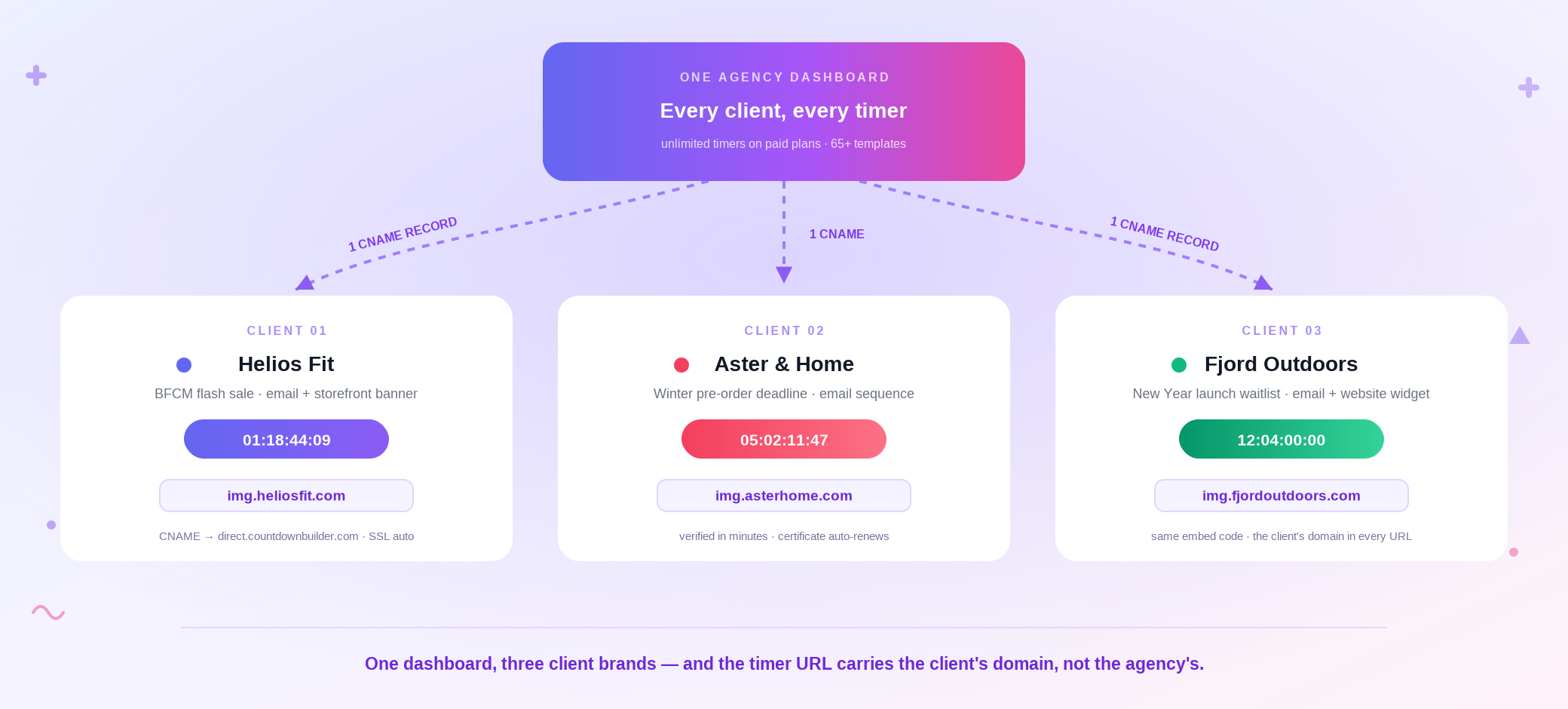
One dashboard, one CNAME per client — the timer URL carries the client's brand, not the agency's.
Once the white-label layer and the library exist, the day-to-day is a scheduling problem, and it stays manageable with three habits:
- One timer per campaign, never recycled. Editing a live embed's deadline doesn't change emails already delivered, and a client comparing last month's email to this month's clock will see the same timer telling two different truths. New campaign, new timer — unlimited timers on paid plans exist precisely so nobody has to ration them.
- A pre-send checklist per send. Same one for every client: timezone matches the client's stated deadline, deadline also stated in text, expiry state configured before the first send, alt text present. It takes two minutes and it is the difference between "agency-grade" and "hope it renders."
- Retire timers when campaigns end. A campaign's last email keeps getting opened for weeks. If the expiry state is configured, those late openers see the right frame — after that, the timer simply has nothing more to do. Keeping a clean list of live timers per client means the dashboard reflects reality when a client asks what's currently running.
The sequence patterns per campaign type don't change from single-brand marketing — a flash sale is still a flash sale whether you built it for your own store or a client's. Our BFCM countdown playbook and the webinar registration sequence are both directly reusable as client deliverables.
What the White-Label Promise Covers — and What It Doesn't
The honest version, so nobody overpromises in a pitch deck:
- Covered: the reader-facing layer is fully the client's brand — colors, labels, and the domain the timer serves from, with SSL handled. No third-party name appears in the email's image URLs.
- Covered: management stays in one place. The agency dashboard holds every client's timers, which is exactly what an internal team wants; unlimited timers and views on paid plans mean client count doesn't drive cost.
- Not covered: client-side self-service. The dashboard belongs to whoever holds the account. If a client wants to build and edit timers themselves, that is their own account and plan — the embeds you delivered keep working, but the editing lives with whoever owns the login.
- Not covered: a guarantee about the client's email deliverability. The branded domain removes one inconsistency; the sender reputation, list hygiene, and content quality that actually drive inbox placement remain the client's own program.
Common Mistakes
- Copying one client's timer into another client's email. The digits are right and the brand is wrong — labels in the wrong vocabulary, colors from a competitor's palette, or worse, a URL serving from a different company's domain. Every send gets a fresh build from that client's template.
- Selling white-label and shipping the default domain. If the retainer says white-label, the default third-party timer URL is a deliverable that fails review. Set up the custom domain before the first campaign ships, not after the client's brand team asks about it.
- Timezone drift across client markets. An ET-built timer on a campaign whose copy says GMT, or a EU client's deadline built in the agency's home timezone. The clock will publicly disagree with the copy for some readers — the exact screenshot an unhappy client forwards.
- No expiry state. Frozen zeros under a "last chance" subject, weeks after the sale ended, clicking to a dead offer page — in a client's name. Configure the expiry state during the template stage, per client, once.
- Handing over embeds without a plan for the account. The timer images are served as long as the account serves them. If an agency relationship ends and the account lapses, embeds stop rendering. Clients don't need to manage the tool, but both sides should know who owns it and what happens if that changes.
FAQ
How do I white-label countdown timers for multiple clients?
Connect a custom subdomain per client brand — one CNAME record at their DNS provider, one verification, and SSL is handled automatically. Every timer for that client then serves from img.clientname.com instead of a third-party URL. Custom domains come with the Business plan.
Do my clients need their own Countdown Builder accounts?
No. You can run every client's timers from one agency account — paid plans include unlimited timers and views. The client-facing layer is the embed and its branded URLs. If a client wants to build and edit timers themselves, that would be their own account.
Will a custom-domain timer help the client's email deliverability?
It removes one inconsistency: a countdown image loading from a domain unrelated to the sender domain can read as a third-party tracker to inbox providers, and serving it from the client's own subdomain keeps the campaign consistent end to end. Deliverability still depends mostly on the sender's reputation and list practices — the branded domain is a supporting factor, not a fix.
How many client domains can I connect?
One subdomain per client brand is the natural setup — each connects with a single CNAME record and gets its SSL certificate automatically. Connect as many as your client roster needs; the setup work per client is minutes, not hours.
Do countdown timers work in the client's email platform?
Yes — the timer is an animated image regenerated on each open, no JavaScript involved, so it works wherever their platform accepts an image or HTML block, across Gmail, Outlook, Apple Mail, and the rest. The one known quirk is Outlook's Windows desktop client, which shows a still frame instead of the animation.
What happens to a client's timer when the campaign ends?
Whatever was configured in the expiry settings: frozen zeros, a custom "Sale ended" frame, or a redirect URL to a page of the client's choosing. Late openers are guaranteed weeks after any deadline, so the expiry state should be part of the template, not an afterthought.
Final Thoughts
Agency countdown work is three layers, and only one of them is the timer itself: a white-label domain per client so the brand survives into the URLs, a template library so every campaign starts at 80% instead of zero, and a one-timer-per-campaign workflow with a shared pre-send checklist so twelve simultaneous deadlines stay boring. Boring is the goal — the drama belongs to the client's campaign, not the agency's production process.
The free plan covers the first timer — no credit card, no watermark — and the Business plan is the one that adds the custom-domain layer agencies actually pitch. Set up the first client's subdomain, template, and expiry state in an afternoon, and every campaign after that inherits the work.
Related Guides
- The Complete Guide to Countdown Timer Emails
- Black Friday Email Countdown Timers: The Full BFCM Sequence
- Webinar Countdown Timer Emails: From Announcement to "Starting Now"
- How to Add a Countdown Timer to Any Website
- How Email Countdown GIFs Work (and When They Don't)
Last updated: November 2026. Example dates follow the 2026 calendar. Product features reflect Countdown Builder at the time of updating and can change — see the pricing page for current plans.
Written by Mehedi Hasan
Writer & Developer. He writes about email marketing, countdown timers, and campaign design.
Connect on LinkedIn