
New Year’s Eve Countdown for Your Website (Embed, No Code)
 By Mehedi Hasan
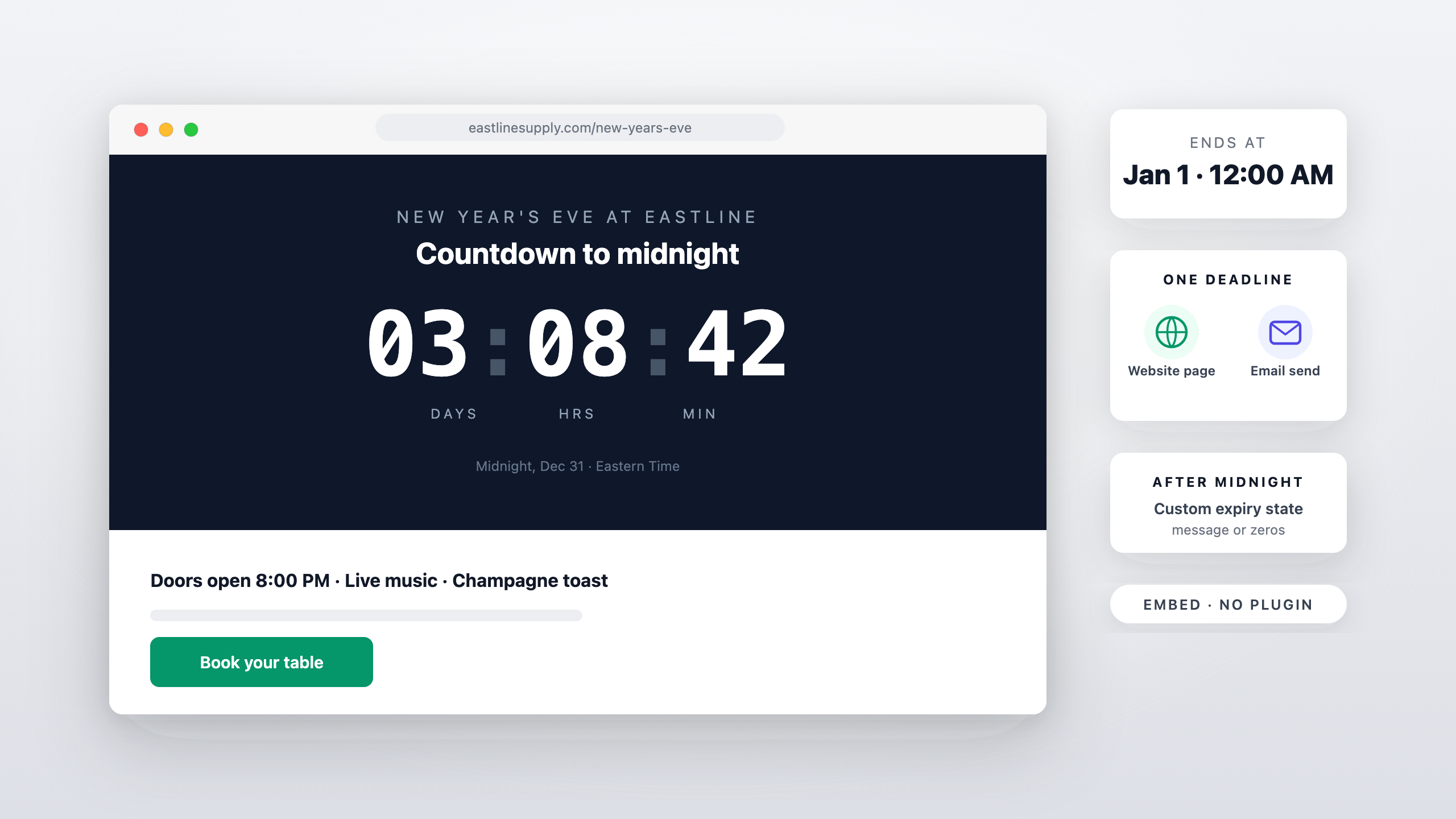
Short answer: a New Year's Eve countdown on a website is a fixed-date timer — set the end to midnight on January 1, 2027, in your timezone — and it embeds anywhere HTML goes: an event page, a venue homepage, a storefront banner. No plugin, no app install; you paste one snippet. This guide covers where the embed earns its place, how the timezone behaves, and how the page timer pairs with the countdown in your New Year emails.
What You're Building
The same building block as the WordPress countdown timer: a timer rendered from a URL, displayed inside an embed snippet. For New Year's Eve the setup is as simple as it gets:
- Type: standard (fixed-date) — everyone is counting to the same midnight.
- End: January 1, 2027, 12:00 AM, in the timezone your audience will spend the evening in.
- Design: a dark or high-contrast template reads best on an event page at night — most NYE pages run dark backgrounds, and a light timer on a dark page glares.
Evergreen timers don't apply here. The whole point of an NYE clock is that it's a shared, public deadline — there's no per-subscriber window.
Where the Embed Goes
- Event page hero. The countdown sits above the fold on the event landing page — above the lineup, the agenda, or the RSVP form. Visitors who land mid-December see the clock first; that's the frame you want.
- Venue or restaurant homepage. A countdown to your NYE event (or to your Jan 1 special's opening) on the homepage banner, linking through to the booking page.
- Storefront banner bar. A slim timer strip at the top of a shop's site counts to the New Year promotion opening — the same mechanic as the website countdown timer for sales, with Jan 1 as the date.
- Livestream landing pages. If the event is remote, the countdown anchors the page people will return to on the night.
Wherever it goes, the embed is one snippet pasted into an HTML block or a custom-code slot. Platform-specific walkthroughs: the WordPress guide covers the block editor and widget areas, the Squarespace guide covers the Code Block route, the Wix guide covers the Embed HTML element, and Shopify store pages are covered in the Shopify countdown timer guide.
How the Timezone Works
The timer counts down to the date and time you set, in the timezone you configure — it doesn't compute each visitor's local midnight. For a venue or a city event, that's exactly what you want: set it to your local timezone and every visitor sees the same clock racing toward the same midnight. If your audience is national and the event is "midnight everywhere," the honest options are picking one timezone (your location, stated in the copy next to the timer) or running the event page against your own midnight. State the reference next to the clock — "Counting down to midnight, Dec 31 — Eastern Time" — so the countdown matches the words.
Building the Timer
- Create a standard timer and set the end to Jan 1, 2027, 12:00 AM with your timezone. If the page is for an NYE event that starts earlier in the evening, count to the event's start instead — doors at 8 PM is a more actionable deadline than a midnight nobody attends.
- Design for the page's background. Pick a template, set the labels ("Until midnight" / "Until doors open"), and check the contrast against both light and dark backgrounds.
- Copy the embed and paste it into the page's HTML block. Done — the timer renders from the URL and shows the correct time remaining on every visit.
After midnight, decide what the page shows. An expiry state of zeros is fine; a custom message ("Happy New Year — see you in 2027") or an image swap keeps the page from looking stale on Jan 1. Configure it in expiry settings before the night, not after.
The Big Screen Question
A common NYE use is a countdown visible in the room, not just on the page. The honest setup: the embed lives on a web page, and that page is what you display — open the event page in a browser and put the browser on the projector or TV, full-screen the window, and the timer is the visual. What this route doesn't assume is a dedicated fullscreen or screensaver mode — if you need a bigger presence than the embed gives, the fix is layout: fewer elements around the timer and a larger template size, not a feature the product doesn't ship.
Pair It with the Email Countdown
The page timer and the email timer can share the same deadline. The New Year sale email playbook builds the Dec 26 – mid-January sequence around a countdown; pointing those emails at a page that shows the same clock makes the deadline feel consistent everywhere the reader meets it. One deadline, two surfaces, zero contradiction — which is also the simplest way to keep the urgency honest.
FAQ
Does the countdown show each visitor's local midnight?
No. It counts to the date, time, and timezone you configure. For a local event that's the right behavior — set your timezone and note it in the copy.
What happens after midnight passes?
Whatever you set as the expiry state: zeros, a custom message, or an image. Set it before the event so Jan 1 visitors see something intentional.
Can I put the same timer in emails and on the page?
Yes — the email embed and the website embed can both point at the same countdown, so the deadline is identical on both surfaces.
Do I need a plugin or app for this?
Not for WordPress or any platform with an HTML block — the embed is a snippet you paste. The WordPress walkthrough covers the block editor, the classic editor, and page builders.
Final Thoughts
An NYE countdown is the easiest timer campaign of the year: one date, one timezone, one embed, and an audience that's already watching the clock. Set the real midnight, put it above the fold, decide what the page says after zero — and let the same deadline drive the emails.
You can build a countdown timer in a few minutes — the free plan needs no credit card and adds no watermark — and have the embed live on the page long before December 31.
Related Guides
- New Year Sale Countdown Timer: The Dec–Jan Email Playbook
- WordPress Countdown Timer: Add One Without a Plugin (2026 Guide)
- Countdown Timer for Your Shopify Store (Not Just Email)
- Coming-Soon and Waitlist Pages with a Live Countdown
Last updated: November 2026. The date above follows the 2026–2027 calendar; product features reflect Countdown Builder at the time of updating and can change.
Written by Mehedi Hasan
Writer & Developer. He writes about email marketing, countdown timers, and campaign design.
Connect on LinkedIn