
Product Promotion Email Template with Countdown Timer: Complete Guide
 By Mehedi Hasan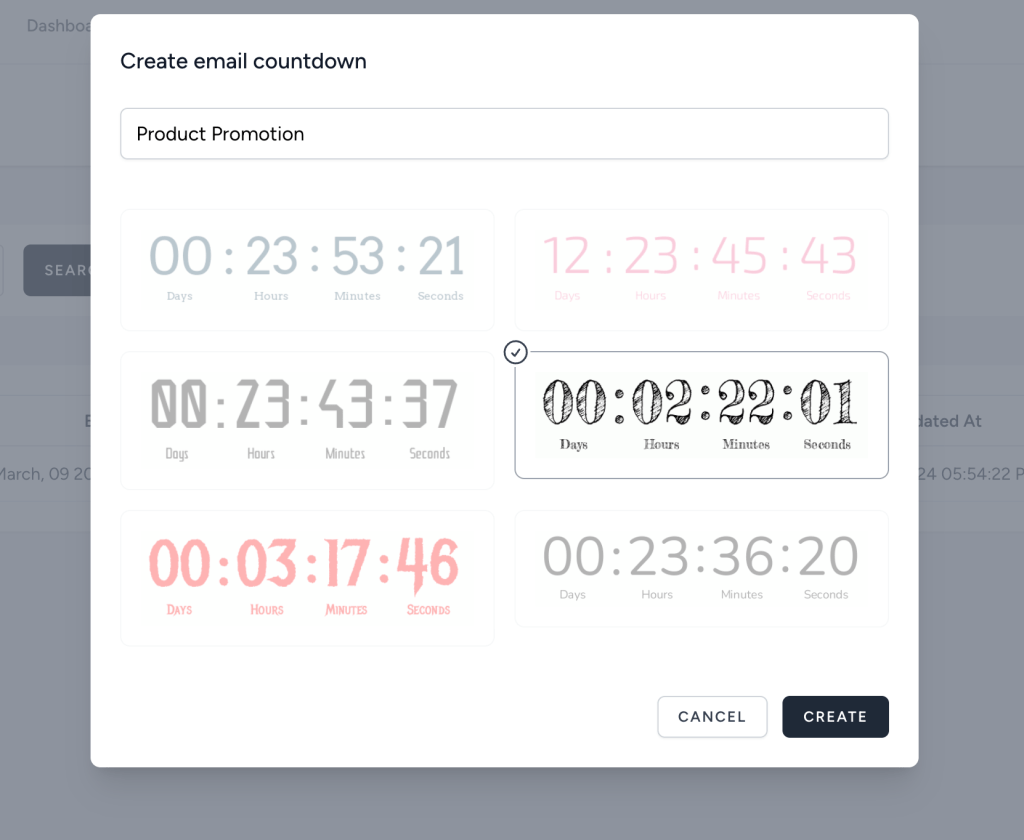
A product promotion email template should do more than announce a discount. It should help the subscriber understand the product, the reason to act now, and the exact step to take next. When the promotion is time-sensitive, a countdown timer in your product promotion email template can make that message much stronger.
Instead of saying "offer ends soon" and hoping people believe it, a countdown timer shows the deadline visually. It gives the email a clear sense of motion. The reader can see that the offer is active right now, but not forever.
In this guide, you will learn how to use a countdown timer in your product promotion email template, where to place it, what copy to write around it, and how to create an email countdown timer quickly with Countdown Builder.
What Is a Product Promotion Email Template?
A product promotion email template is a reusable email layout designed to promote a product, product line, bundle, launch, upgrade, or limited-time offer.
It usually includes:
- A headline that introduces the offer.
- A product image or product-focused visual.
- A short value proposition.
- A discount, bonus, bundle, or launch incentive.
- A call-to-action button.
- Supporting details such as deadline, coupon code, shipping terms, or availability.
When you add an email countdown timer, the template becomes more focused. The timer makes the deadline easy to understand and helps subscribers act before the promotion expires.
Why Add a Countdown Timer to a Product Promotion Email?
Most product promotion emails fail for one simple reason: the subscriber thinks they can come back later.
A countdown timer helps reduce that delay by making time visible. This is useful for:
- Flash sales.
- Product launches.
- New collection drops.
- Limited-time coupons.
- Seasonal promotions.
- Bonus offers.
- Upgrade discounts.
- Cart recovery campaigns.
- Early-bird access.
The goal is not to pressure people with fake urgency. The goal is to make a real deadline clear. If your product promotion ends Friday, the timer should count down to Friday. If your bonus disappears after 48 hours, the timer should show those 48 hours.
Best Layout for a Product Promotion Email Template with Countdown Timer
Use a clean structure. A countdown timer works best when it supports one main offer and one main action.
Here is a common layout:
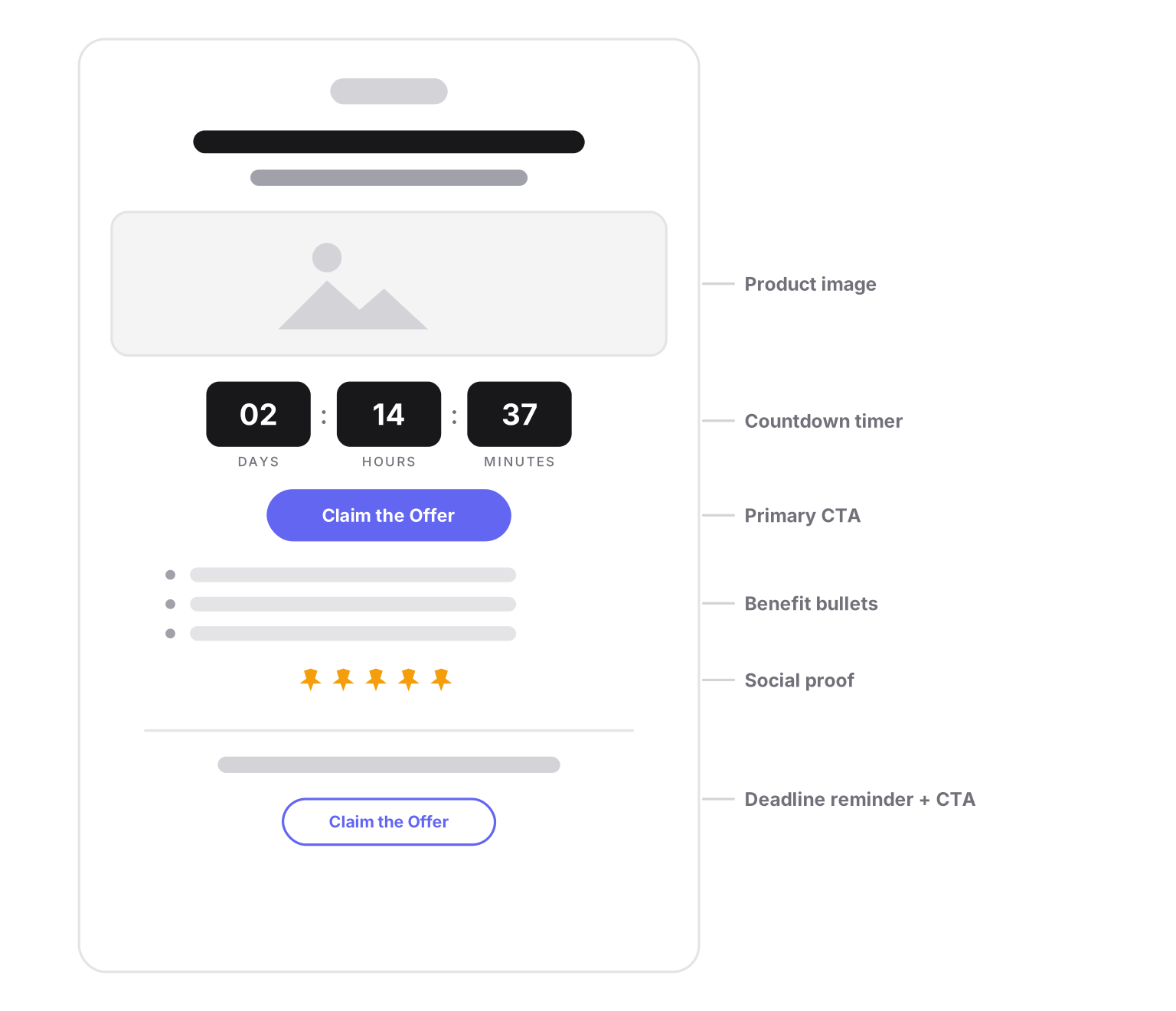
The product, timer, and CTA sit close together, so the reader sees the relationship between the offer and the deadline at a glance.
This layout works because it keeps the subscriber focused. The product, timer, and CTA are close together, so the reader understands the relationship between the offer and the deadline.
Copy-Ready Product Promotion Email Template
Use this template for a product sale, launch, bundle, or limited-time campaign.
Subject: [Product Name] offer ends soon
Preheader: The countdown is running. Claim the offer before it expires.

Hi [First Name],

For a limited time, you can get [Product Name] with [discount/bonus/offer].

[Countdown timer]

[Product Name] is built to help you:
- [Benefit 1]
- [Benefit 2]
- [Benefit 3]

Use code [CODE] before the timer hits zero.

[CTA button: Claim the Offer]

This promotion ends on [date/time]. After that, the offer will no longer be available.
The strongest product promotion emails are specific. Replace generic claims like "best deal ever" with concrete value: save 30%, get the bonus pack, unlock annual pricing, reserve early access, or claim free shipping.
Subject Lines for Product Promotion Emails with Countdown Timers
Your subject line should create enough interest to open the email. Use the product name, offer, or deadline.
Here are examples:
- Ends tonight: Product Name is discount off
- The countdown is on for Product Name
- Last chance to claim your Product Name offer
- First Name, your product discount expires soon
- Final hours: save on Product Name
- New drop: launch offer ends soon
- Your bonus for Product Name expires today
- Only time left to claim this offer
- Product launch pricing ends Friday
- Before the timer hits zero...
Match the subject line to the real deadline. If the offer ends Friday, the subject line should say when it ends, not just "ends soon."
Preheader Text Examples
The preheader should support the subject line and make the deadline clearer.
Use examples like:
- Open now to see how much time is left.
- Your product promotion ends when the timer reaches zero.
- Claim the discount before the offer expires.
- The bonus disappears after the countdown ends.
- Launch pricing is still available, but not for long.
Avoid repeating the subject line exactly. The subject line gets attention. The preheader adds context.
Where to Place the Countdown Timer in the Template
Timer placement matters. If the timer is hidden too low in the email, it will not shape the reader's decision.
Best Placement: Between Product Value and CTA
For most product promotion emails, place the countdown timer immediately before the primary CTA button.
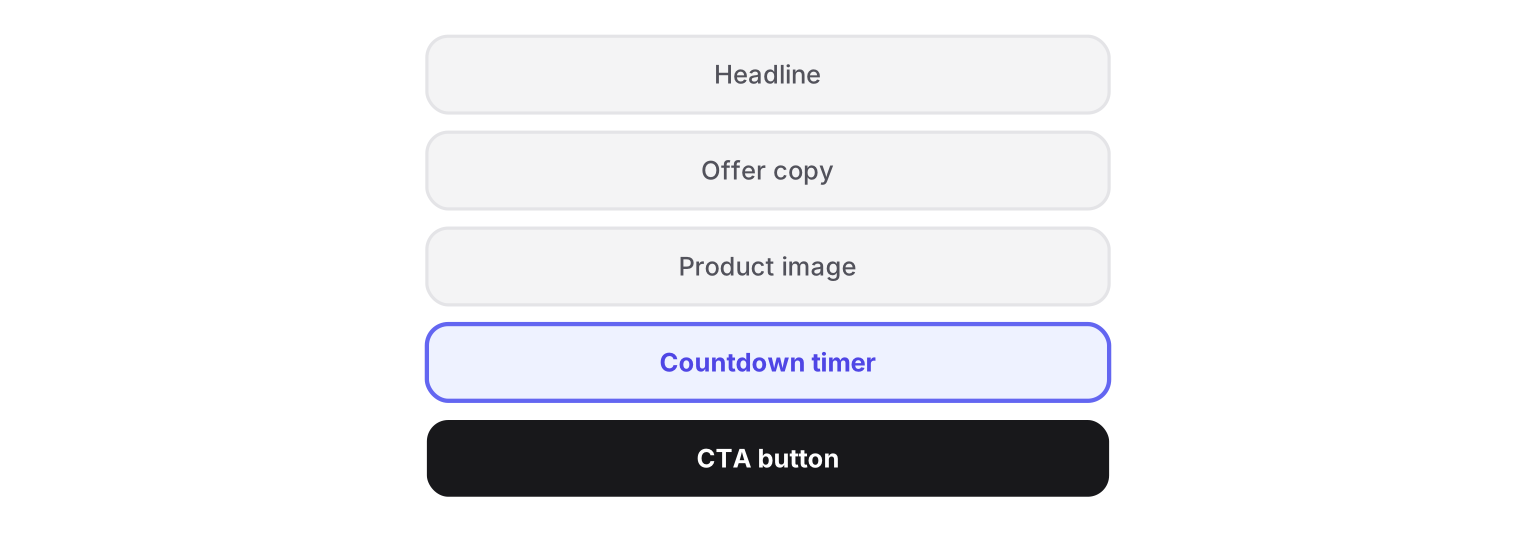
This layout makes the action feel immediate. The reader sees the product, sees the timer, then sees the button.
Alternative Placement: Below the Headline
If the product is already familiar to your audience, place the timer directly under the headline.
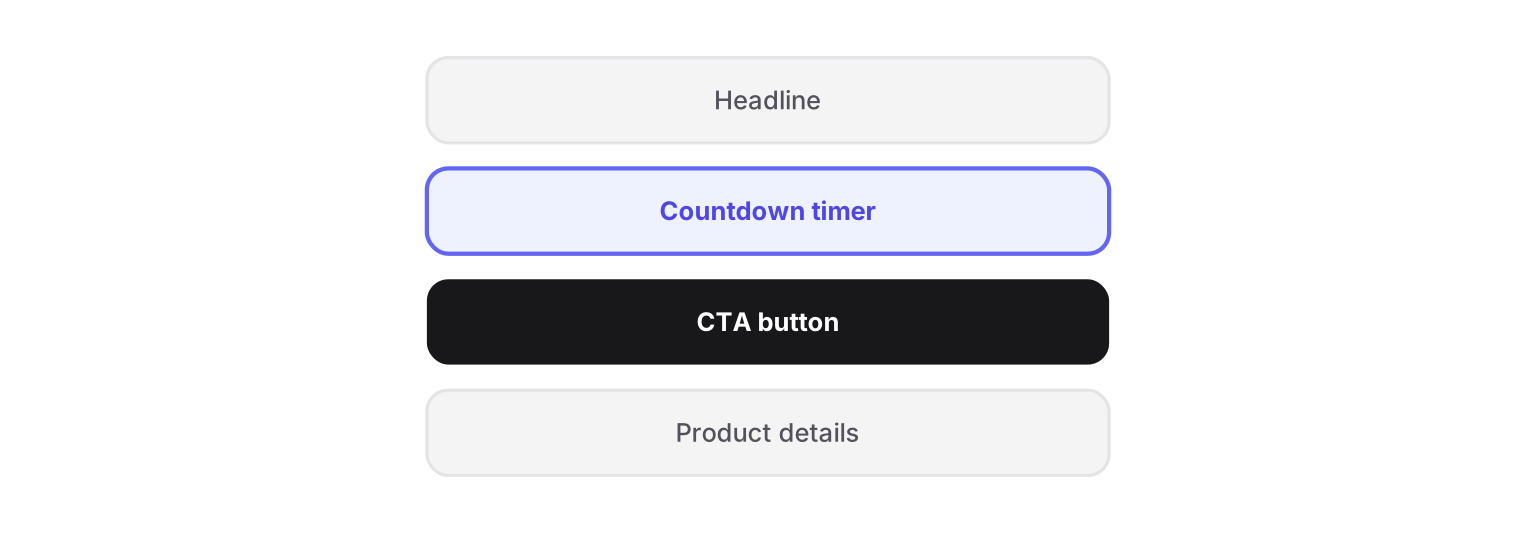
This is useful for flash sales, seasonal campaigns, and last-chance reminders.
Final Reminder Placement
For longer product promotion emails, add a final deadline reminder near the bottom.
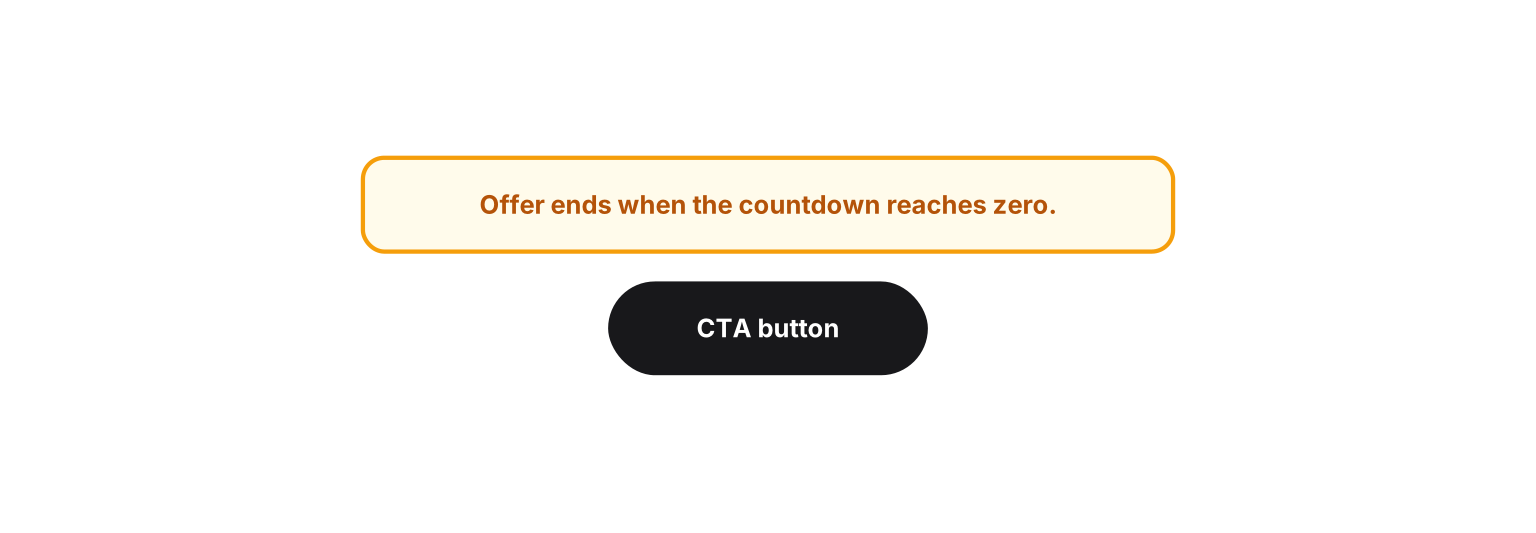
You do not always need a second timer. Sometimes a text reminder is enough.
How to Build the Timer with Countdown Builder
The email countdown timer generator helps you create timers without code. You design the timer, copy the HTML snippet, and paste it into your email platform.
Step 1: Create a New Countdown
Open Countdown Builder and create a new timer for your product promotion.
Choose a deadline that matches the promotion:
- End of flash sale.
- Product launch deadline.
- Coupon expiry.
- Bonus expiry.
- Early-bird pricing deadline.
- Cart recovery deadline.
Use the same deadline everywhere: email, landing page, product page, checkout, and timer.
Step 2: Choose a Template
Countdown Builder includes 65+ timer templates, so you do not need to design from scratch.
For product promotion emails, choose a timer style based on your campaign:
- Minimal timer for premium products.
- Bold timer for flash sales.
- Rounded rectangle timer for ecommerce offers.
- Circle timer for launch campaigns.
- Transparent timer for custom email backgrounds.
If you want more design context, read our guide to Countdown Builder templates.
Step 3: Customize the Timer
Match the timer to your product promotion email template.
Customize:
- Background color.
- Text color.
- Font.
- Timer labels.
- Label size.
- Timer style.
- Animation.
- Background image.
- Transparent background.
The timer should look like part of the email, not a random widget pasted into the layout.
Step 4: Make the Timer Clickable
For product promotion emails, the timer can become another conversion path. Countdown Builder supports clickable countdown images.
In the editor:
- Go to Edit.
- Open Advanced Features.
- Enable Clickable countdown image.
- Add your product promotion URL.
- Add an optional expiry URL.
The expiry URL is useful because some subscribers open emails after the promotion ends. Instead of sending them to a dead sale page, redirect them to:
- The normal product page.
- A waitlist.
- A related product category.
- A current promotion.
- A "sale ended" page with another CTA.
This improves the experience for late openers and protects your campaign from broken intent.
Step 5: Copy the HTML and Add It to Your Email Platform
After the timer looks right, copy the HTML code from Countdown Builder.
Paste it into the HTML or code block in your email platform. Countdown Builder works with major email marketing tools, including:
If your email tool supports custom HTML, you can usually embed a Countdown Builder timer.
Product Promotion Email Template Examples
Use these examples as starting points.
Ecommerce Product Promotion Template
Subject: Ends tonight: save 25% on [Product Name]
Preheader: The countdown is running. Claim your discount before midnight.

[Headline]
25% off [Product Name] ends tonight

[Product image]

Your limited-time offer is active now.

[Countdown timer]

[CTA: Shop Now]

Why customers choose [Product Name]:
- [Benefit 1]
- [Benefit 2]
- [Benefit 3]

Offer ends at 11:59 PM.
SaaS Product Promotion Template
Subject: Your upgrade offer expires soon
Preheader: Unlock [feature/plan] before the countdown ends.

Hi [First Name],

Your limited-time upgrade offer is still available.

[Countdown timer]

Upgrade to [Plan/Product] and get:
- [Feature 1]
- [Feature 2]
- [Feature 3]

[CTA: Upgrade Now]

This promotion ends on [date]. After that, standard pricing returns.
Product Launch Promotion Template
Subject: Launch pricing for [Product Name] ends Friday
Preheader: Get early access before the timer hits zero.

[Product Name] is now live.

For launch week only, you can get [offer/bonus/discount].

[Countdown timer]

[CTA: Get Launch Access]

What you get:
- [Product detail 1]
- [Product detail 2]
- [Product detail 3]

Launch pricing ends Friday at midnight.
Last-Chance Product Promotion Template
Subject: Final hours for [Product Name]
Preheader: This is your last reminder before the offer expires.

The [Product Name] promotion ends soon.

[Countdown timer]

If you were waiting, now is the time to act.

[CTA: Claim the Offer]

After the timer reaches zero, this offer will close.
Design Tips for Product Promotion Email Templates
Keep the Offer Above the Fold
Subscribers should not need to scroll to understand the promotion. Put the product, offer, timer, and CTA near the top.
Use One Primary CTA
Do not split attention with too many buttons. Use one main CTA:
- Shop now.
- Claim the offer.
- Get launch access.
- Upgrade today.
- Reserve your discount.
You can repeat the same CTA lower in the email, but the action should stay the same.
Match Timer Colors to the Email
The timer should stand out, but it should still match the brand. Use contrast for readability, especially on mobile.
Keep Copy Short Around the Timer
Do not bury the timer in long paragraphs. Use a short setup line:
Offer ends when this countdown reaches zero:
Then show the timer and CTA.
Use Real Deadlines
Countdown timers work best when subscribers trust them. Use real expiry dates, real coupon deadlines, and real launch windows.
What to Include Below the Timer
After the timer and CTA, add supporting proof. This helps people who are interested but not ready to click yet.
Useful sections include:
- Three product benefits.
- Customer testimonial.
- Star rating.
- Before/after result.
- Bonus details.
- Guarantee.
- Shipping or delivery information.
- FAQ about the offer.
Keep this section scannable. Product promotion emails should not feel like long sales pages unless the purchase needs more explanation.
How to Use Countdown Timers in an Email Sequence
A product promotion email template often works better as part of a short sequence.
| Timing | Timer Use | |
|---|---|---|
| Launch email | Start of promotion | Show full deadline and introduce offer. |
| Reminder email | Midway through promotion | Show remaining time and product benefits. |
| Last-chance email | Final day | Put timer near the top. |
| Final-hours email | Final 3-6 hours | Make the countdown the main visual. |
With Countdown Builder, you can reuse one timer across the sequence so every email counts down to the same deadline.
Common Mistakes to Avoid
Using a Timer Without a Clear Offer
The countdown timer should support the product promotion. It cannot fix weak positioning. Make sure the reader understands what they get.
Sending Traffic to the Wrong Page
If the CTA goes to a homepage, you lose momentum. Send users directly to the product page, offer page, checkout page, or upgrade page.
Forgetting the Expiry Experience
Some subscribers will click after the promotion ends. Use Countdown Builder's expiry URL to redirect expired clicks to a useful destination.
Making the Email Too Busy
Do not add multiple timers, multiple competing offers, and too many product blocks in one email. The strongest product promotion template usually has one product, one deadline, and one action.
Final Product Promotion Template Checklist
Before sending, confirm:
- The product offer is easy to understand.
- The deadline is real.
- The countdown timer matches the deadline.
- The timer is visible on mobile.
- The timer links to the correct promotion page.
- The expiry URL is set.
- The CTA is close to the timer.
- The email has one primary action.
- The landing page repeats the same offer.
- The email has been tested in your ESP.
For an adjacent walkthrough, see How to Send a Product Offer Email with a Countdown Timer.
Why Countdown Builder Fits Product Promotion Emails
Countdown Builder is built for marketers who want countdown timers without custom development. It is a strong fit for product promotion email templates because it gives you:
- Fast timer creation.
- 65+ countdown templates.
- Brand customization.
- Clickable countdown images.
- Expiry URLs for late openers.
- Email and website countdown timers.
- No view count limitations on paid plans.
- Compatibility with major email platforms.
If your product promotion has a real deadline, Countdown Builder helps make that deadline clear and clickable.
If you'd like to try it, you can create a free timer. The free plan needs no credit card and adds no watermark.
Last updated: September 2026. Product features described reflect Countdown Builder at the time of updating and can change — see the pricing page for current plans.
Written by Mehedi Hasan
Writer & Developer. He writes about email marketing, countdown timers, and campaign design.
Connect on LinkedIn